
MBA Sign Up Instructions - Customer
Summary: Customer My BullsEye Account (MBA) Sign Up Instructions
Download article(s)
 Customer MBA Sign Up Guide - 2220M04.pdf
Customer MBA Sign Up Guide - 2220M04
bullseyetelecom.com | sales@bullseyetelecom.com | 877-438-2855
Hello,
Welcome to Lingo!
The My BullsEye Account (MBA) Online Portal provides you with access to manage your locations and
all their services with a single login. Within this tool you can submit orders, pull reporting on analytics and
usage, view order status, open support tickets, access invoices and online bill payment, and much more.
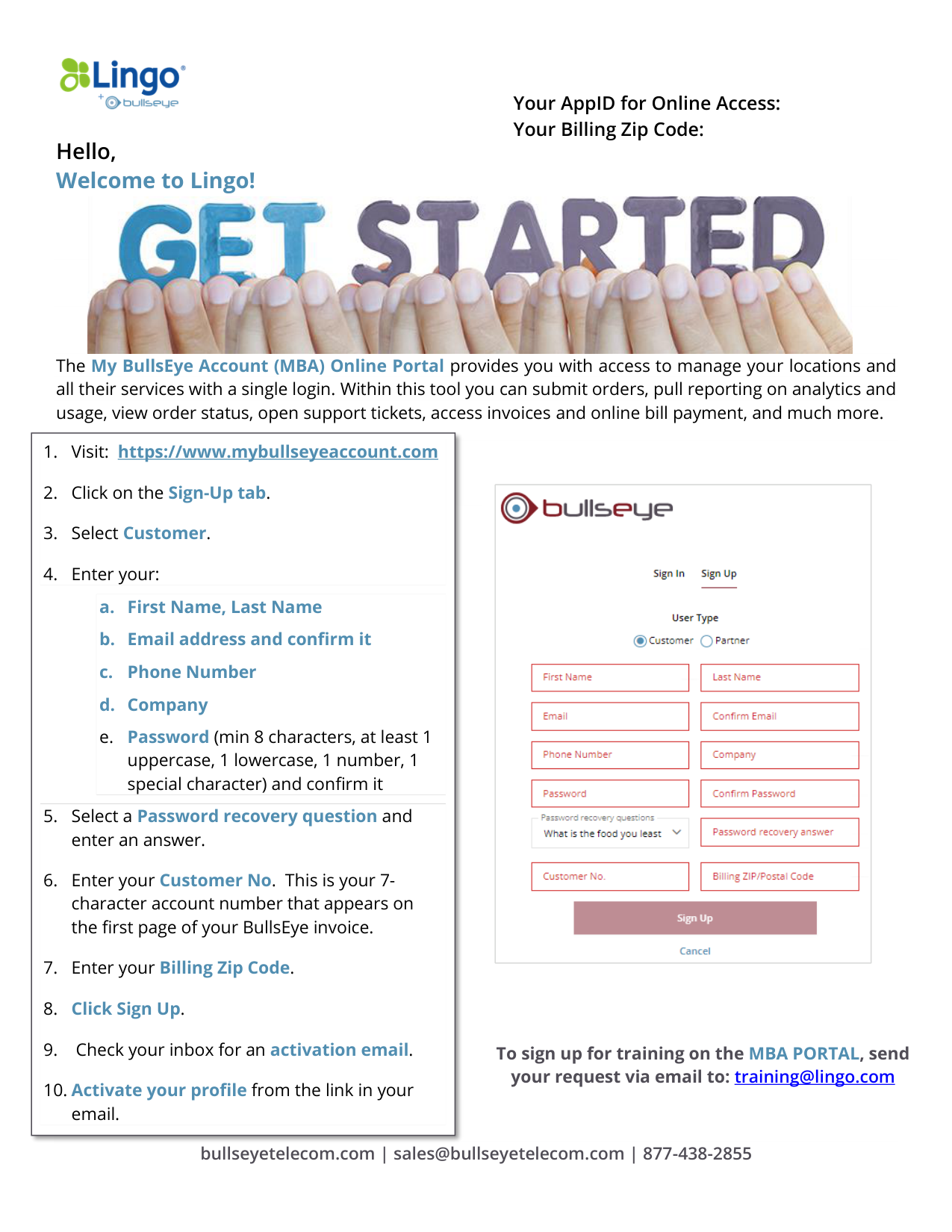
1. Visit: https://www.mybullseyeaccount.com
2. Click on the Sign-Up tab.
3. Select Customer.
4. Enter your:
a. First Name, Last Name
b. Email address and confirm it
c.
Phone Number
d. Company
e. Password (min 8 characters, at least 1
uppercase, 1 lowercase, 1 number, 1
special character) and confirm it
5. Select a Password recovery question and
enter an answer.
6. Enter your Customer No. This is your 7-
character account number that appears on
the first page of your BullsEye invoice.
7. Enter your Billing Zip Code.
8. Click Sign Up.
9. Check your inbox for an activation email.
10. Activate your profile from the link in your
email.
To sign up for training on the MBA PORTAL, send
your request via email to: training@lingo.com
Your AppID for Online Access:
Your Billing Zip Code: