
Unlocking the Power of MBA
Summary: This slide deck presents the topics covered in BullsEye's MBA (My BullsEye Account) training for customers.
Download article(s)
 Unlocking the Power of MBA Updated 012523.pdf
Unlocking the Power of MBA Updated 012523

Unlocking the Power of MBA
Tom McMullen
Training & Development Manager
bullseyetelecom.com | lingo.com
Unlocking the Full Power of MBA
Today’s Topics
Accessing MBA
Account Management
Billing
Reporting
Orders & Status
VoIP
Help & Support
bullseyetelecom.com | lingo.com
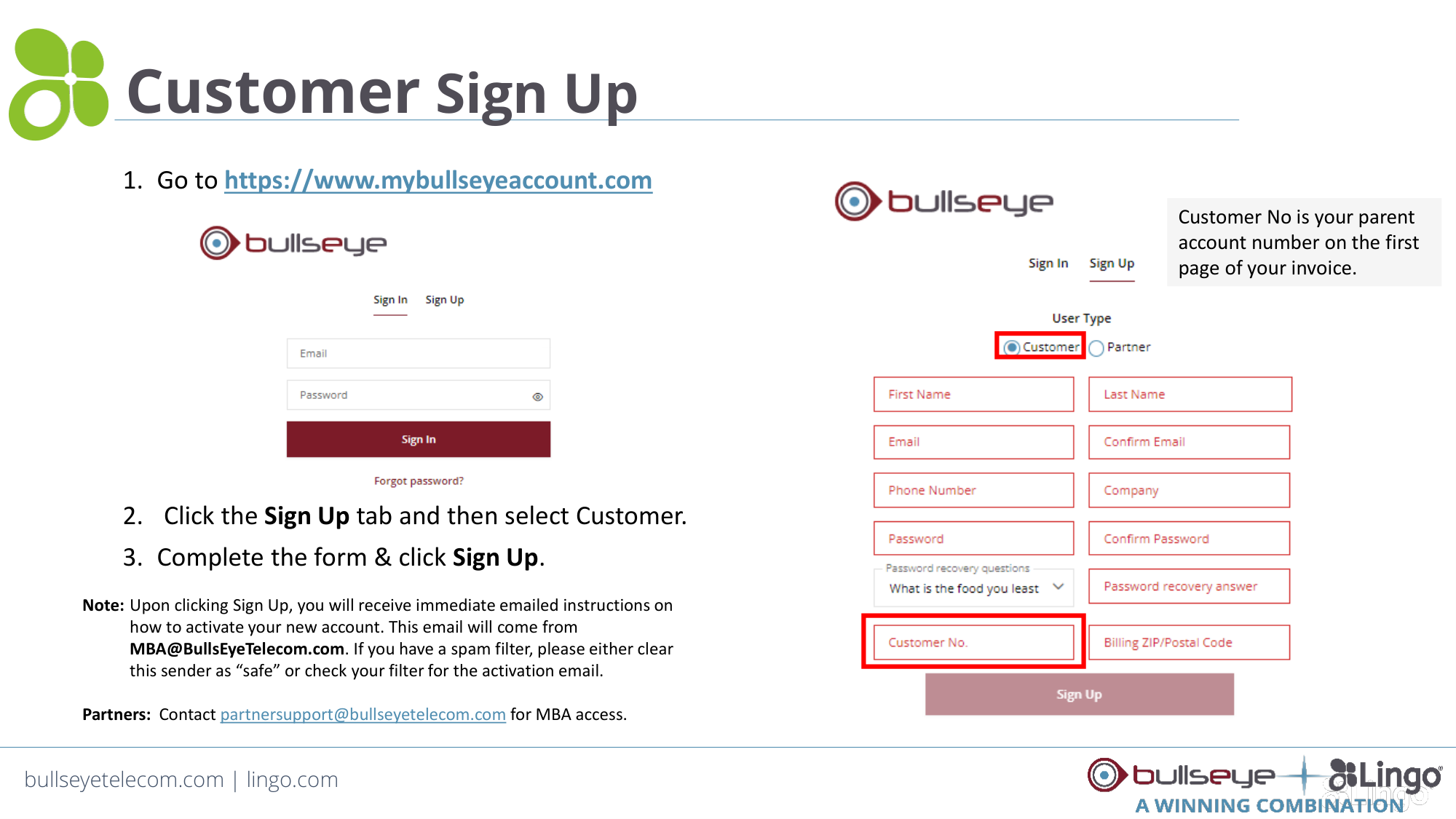
Customer Sign Up
1. Go to https://www.mybullseyeaccount.com
2. Click the Sign Up tab and then select Customer.
3. Complete the form & click Sign Up.
Note: Upon clicking Sign Up, you will receive immediate emailed instructions on
how to activate your new account. This email will come from
MBA@BullsEyeTelecom.com. If you have a spam filter, please either clear
this sender as “safe” or check your filter for the activation email.
Partners: Contact partnersupport@bullseyetelecom.com for MBA access.
Customer No is your parent
account number on the first
page of your invoice.
bullseyetelecom.com | lingo.com
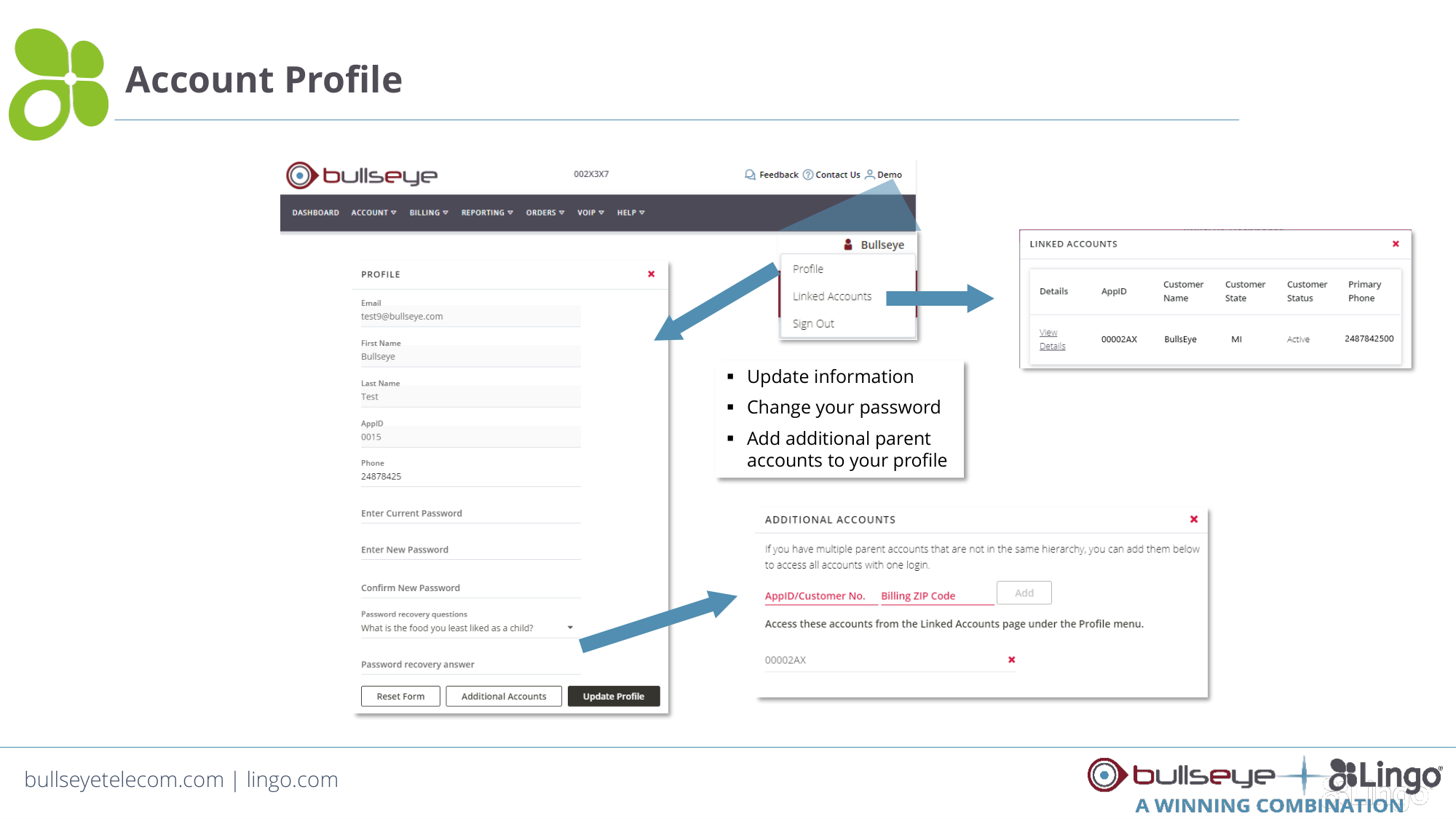
Account Profile
Sales@BullsEyeTelecom.com | 877-438-2855
Update information
Change your password
Add additional parent
accounts to your profile
bullseyetelecom.com | lingo.com
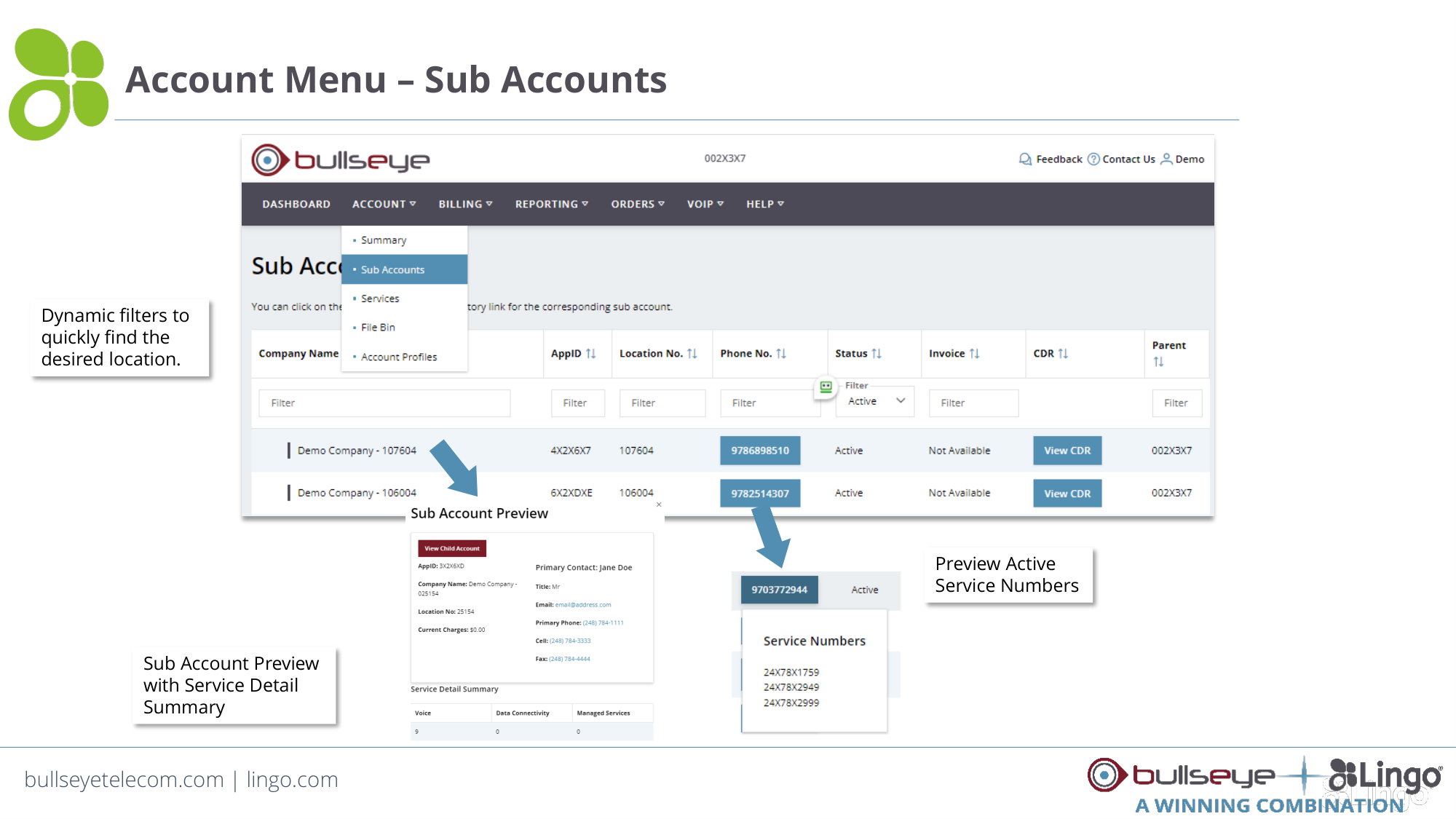
Account Menu – Sub Accounts
Dynamic filters to
quickly find the
desired location.
Sub Account Preview
with Service Detail
Summary
Preview Active
Service Numbers
bullseyetelecom.com | lingo.com
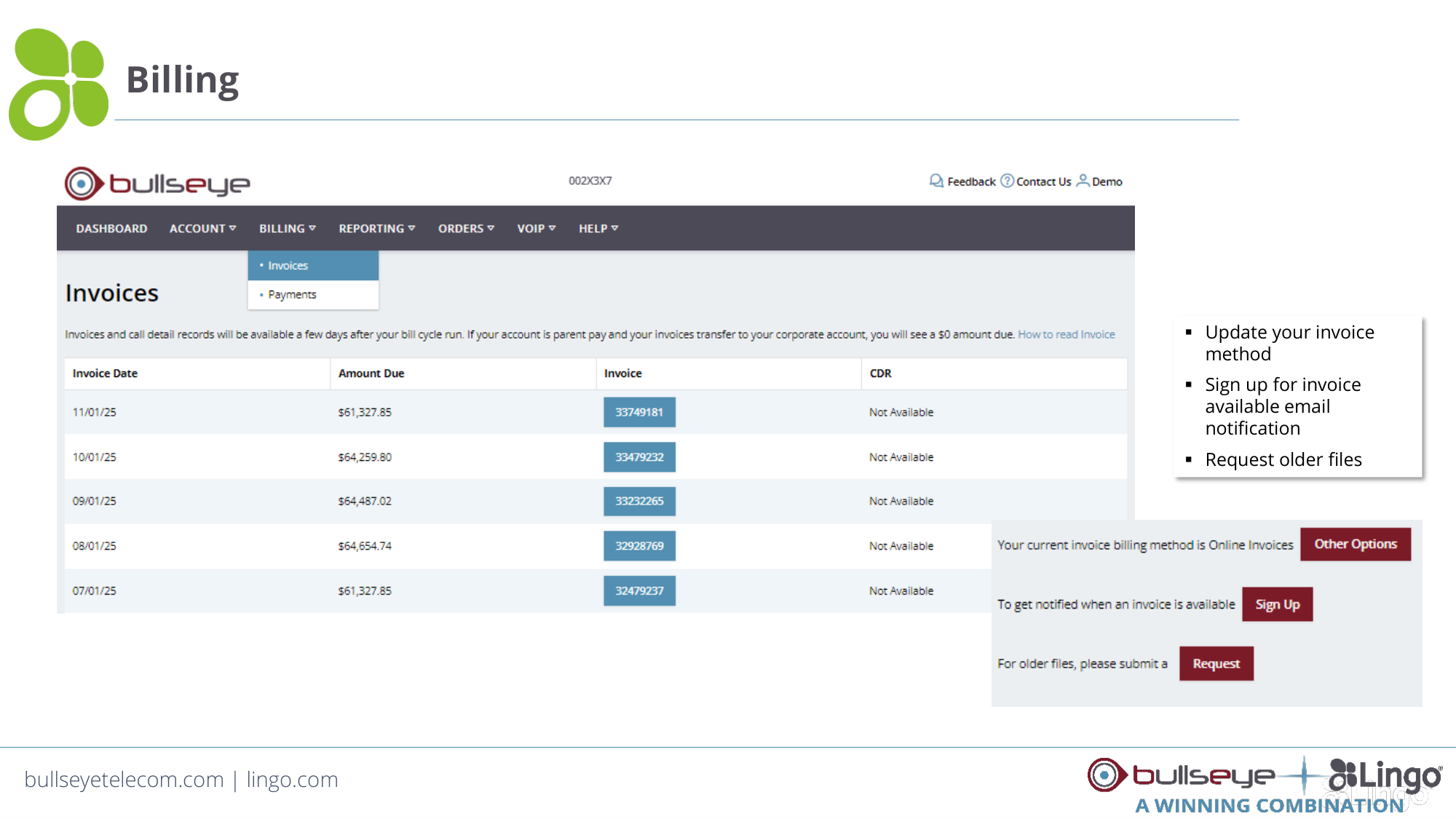
Billing
Update your invoice
method
Sign up for invoice
available email
notification
Request older files
bullseyetelecom.com | lingo.com
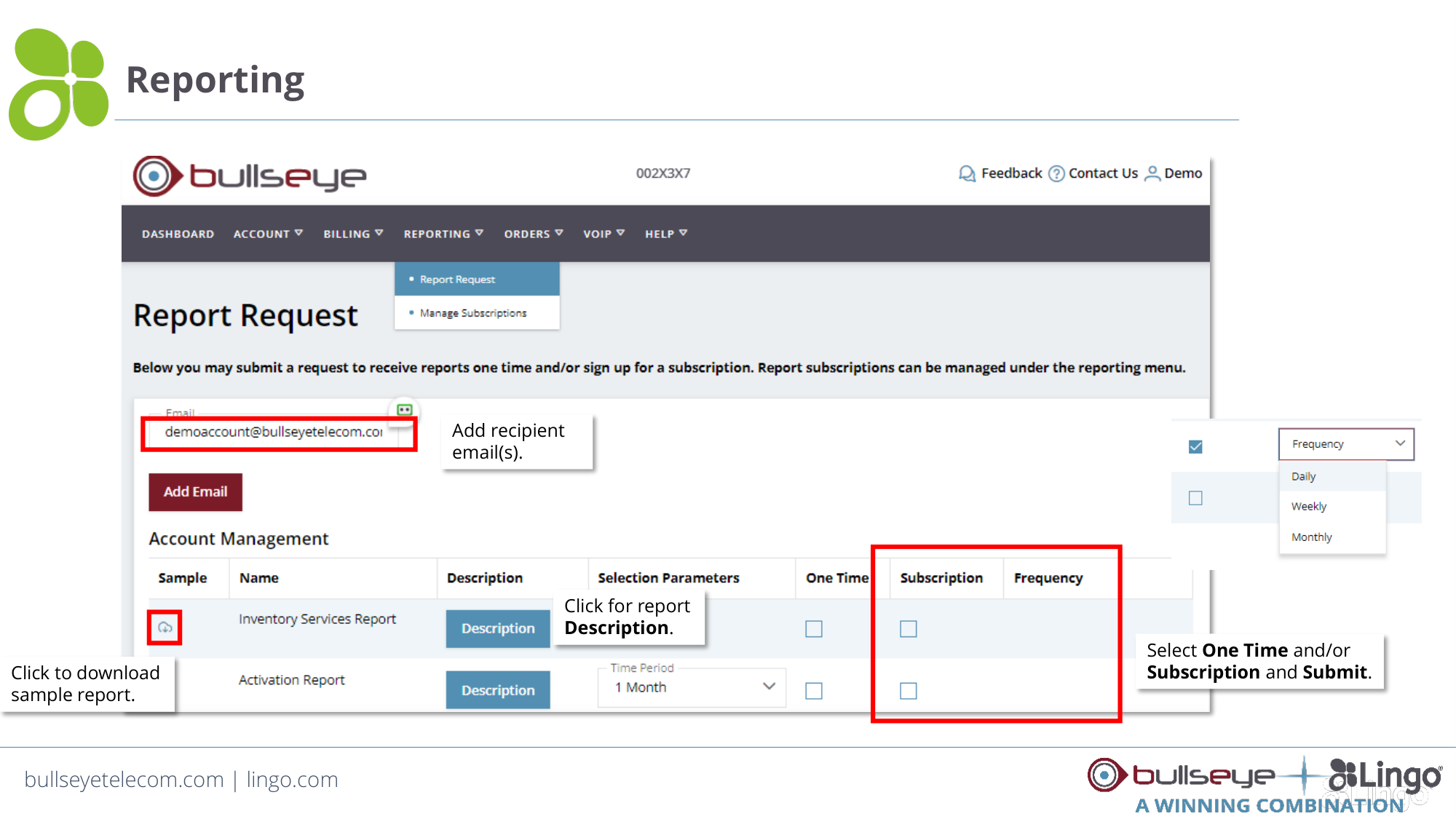
Reporting
Click to download
sample report.
Click for report
Description.
Add recipient
email(s).
Select One Time and/or
Subscription and Submit.
bullseyetelecom.com | lingo.com
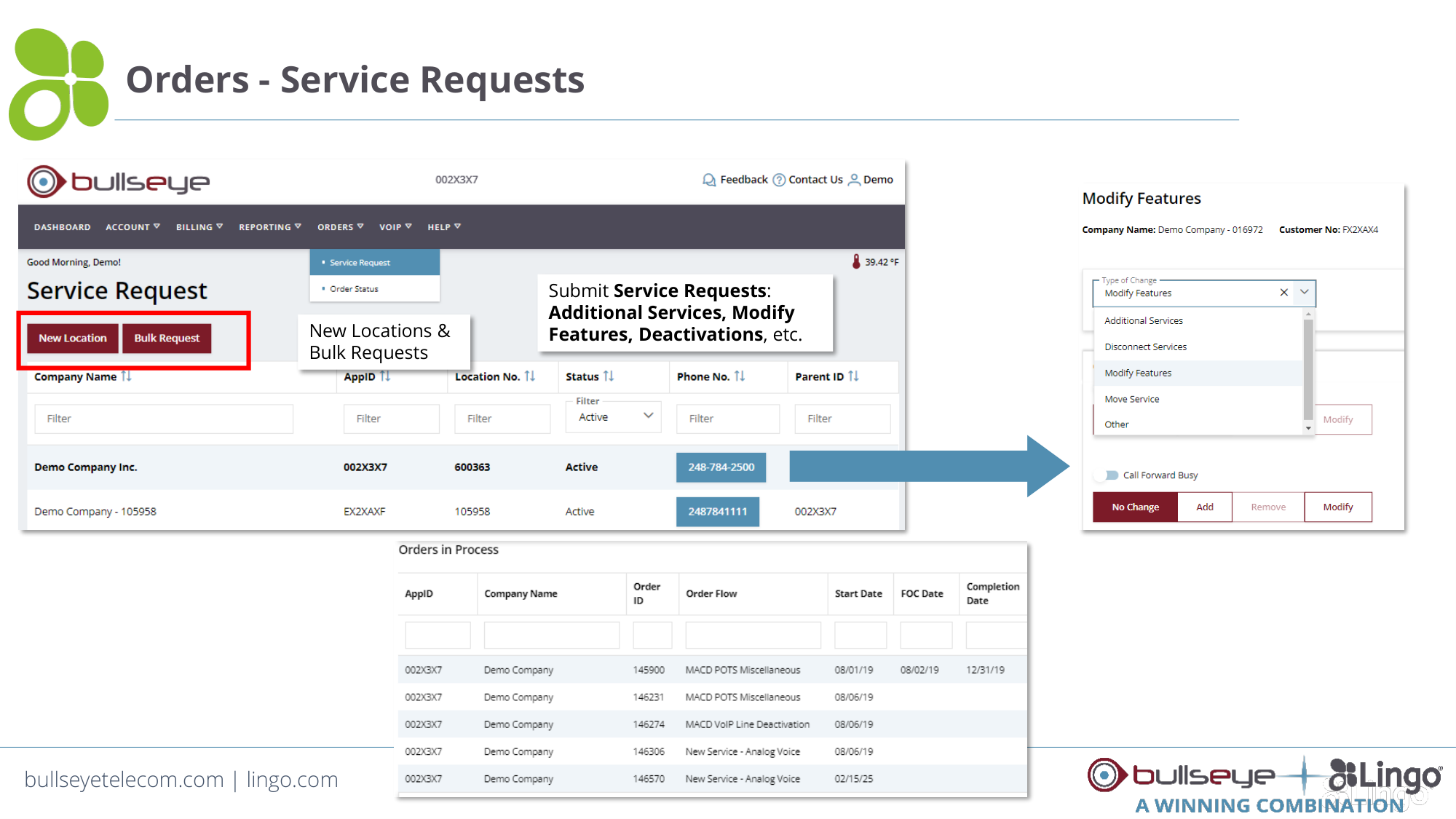
Orders - Service Requests
Submit Service Requests:
Additional Services, Modify
Features, Deactivations, etc.
New Locations &
Bulk Requests
bullseyetelecom.com | lingo.com
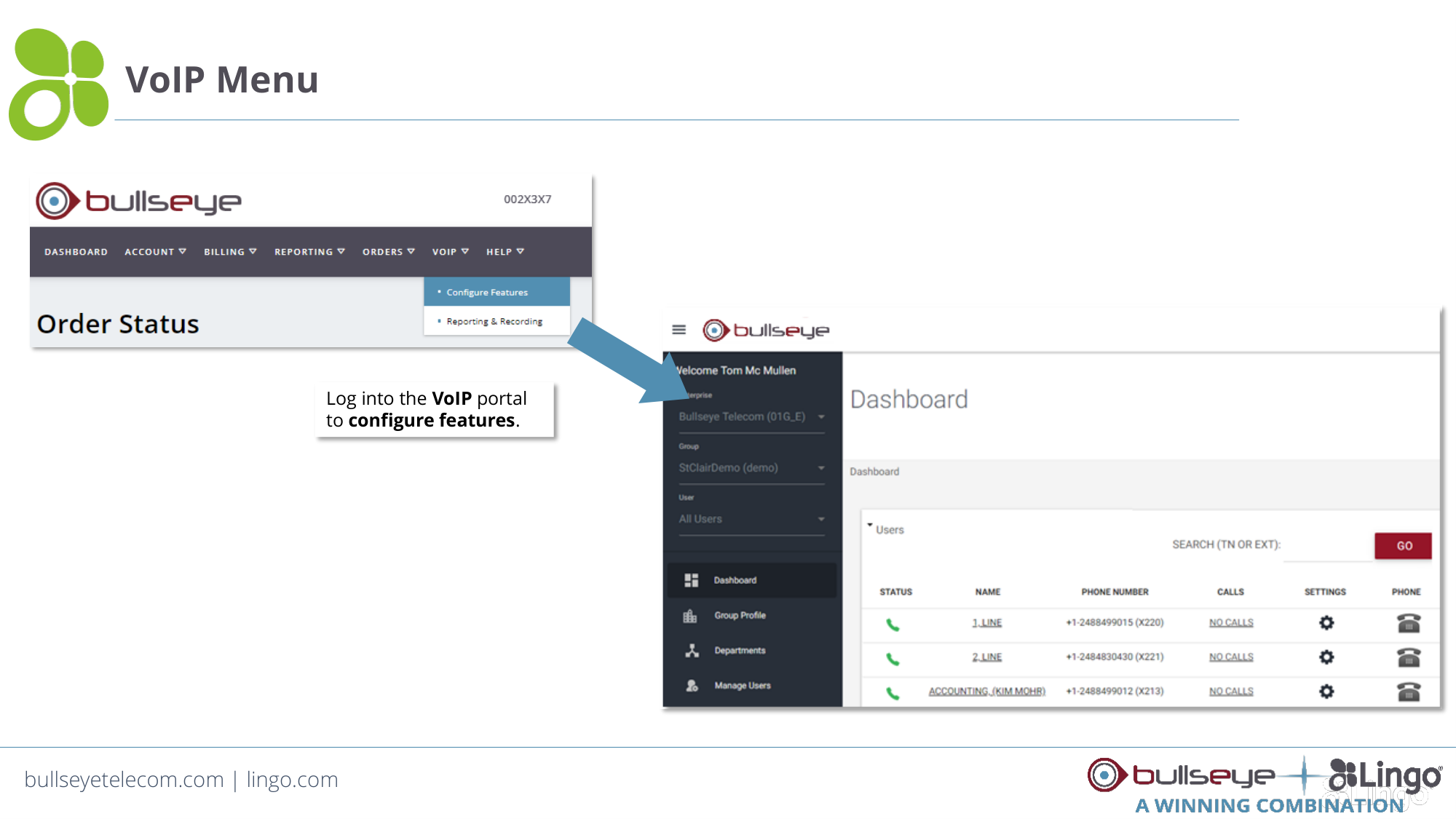
VoIP Menu
Log into the VoIP portal
to configure features.
bullseyetelecom.com | lingo.com
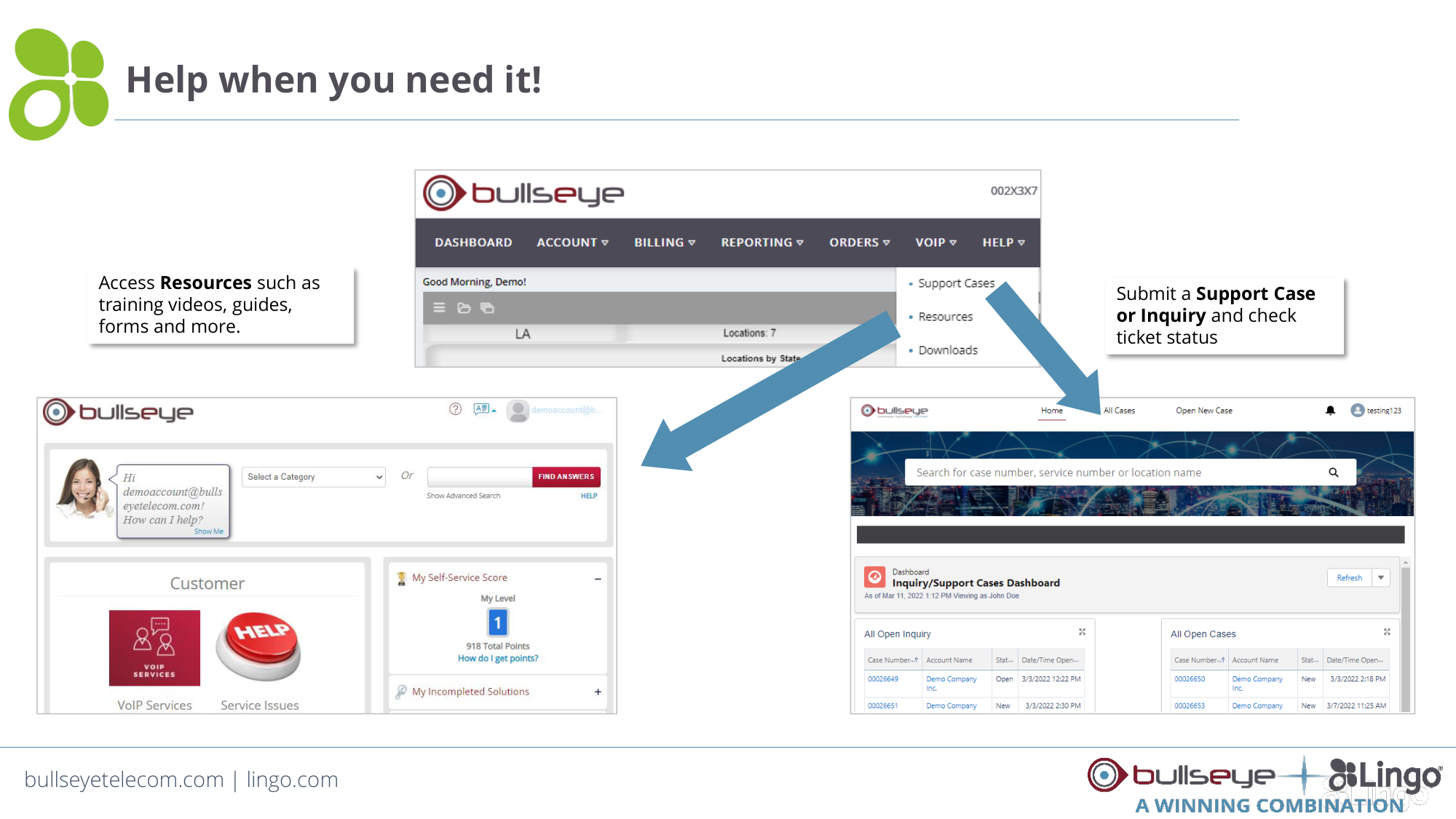
Help when you need it!
Submit a Support Case
or Inquiry and check
ticket status
Access Resources such as
training videos, guides,
forms and more.
Thank You!
Questions?