
Partner MBA Sign-Up Instructions
Summary: Refer to the attached instructions to create a partner MBA profile.
Download article(s)
 Partner MBA Sign-Up Instructions.pdf
Partner MBA Sign-Up Instructions
bullseyetelecom.com | sales@bullseyetelecom.com | 877-438-2855
Your Sales ID:
Welcome to BullsEye Telecom!
The My BullsEye Account (MBA) Online Portal provides you with access to manage your client’s locations
and all their services with a single login. Within this tool you can run quotes, pull reporting on analytics and
usage, view order status, open support tickets, access invoices and online bill payment, and much more.
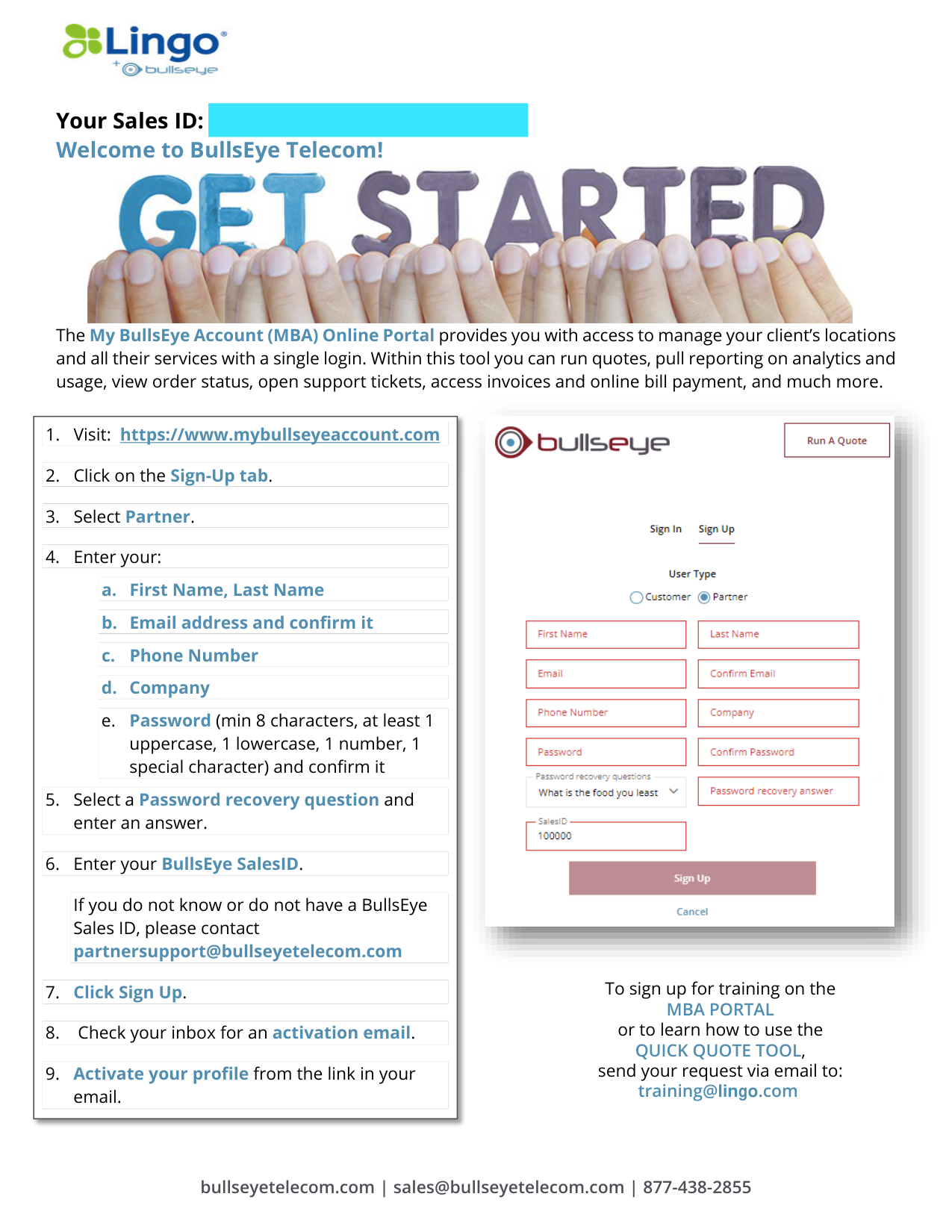
1. Visit: https://www.mybullseyeaccount.com
2. Click on the Sign-Up tab.
3. Select Partner.
4. Enter your:
a. First Name, Last Name
b. Email address and confirm it
c.
Phone Number
d. Company
e.
Password (min 8 characters, at least 1
uppercase, 1 lowercase, 1 number, 1
special character) and confirm it
5. Select a Password recovery question and
enter an answer.
6. Enter your BullsEye SalesID.
If you do not know or do not have a BullsEye
Sales ID, please contact
partnersupport@bullseyetelecom.com
7. Click Sign Up.
8.
Check your inbox for an activation email.
9. Activate your profile from the link in your
email.
To sign up for training on the
MBA PORTAL
or to learn how to use the
QUICK QUOTE TOOL,
send your request via email to:
training@lingo.com