
Avoiding the Trap of Phishing Emails
Summary: This is the slide deck from the training, Avoiding the Trap of Phishing Emails
Download article(s)
 Avoiding the Trap of Phishing Emails.pdf
Avoiding the Trap of Phishing Emails


Avoiding the Trap of Phishing Emails
April 2022
bullseyetelecom.com
2
Why are you here?
•
Did you know, every week HR gets at least one real phishing
email requesting to update an employee’s direct deposit
information.
•
If we make one slip, it could mean your paycheck is not deposited
when you need it.
•
It’s not about how many people can we catch or a “gotcha”
moment.
•
While the test emails are fake, they represent real life attacks.
•
The consequences are real – people have missed a paycheck as
a result of hackers
•
BullsEye, of course, resolved everything in the end, but what would
the immediate repercussions for you, if you:
•
Don’t get paid on the day you expect to? This why all UltiPro updates are now DIY!
•
You need to reset all your passwords
•
Are the one that exposes BullsEye to a serious breach
bullseyetelecom.com
3
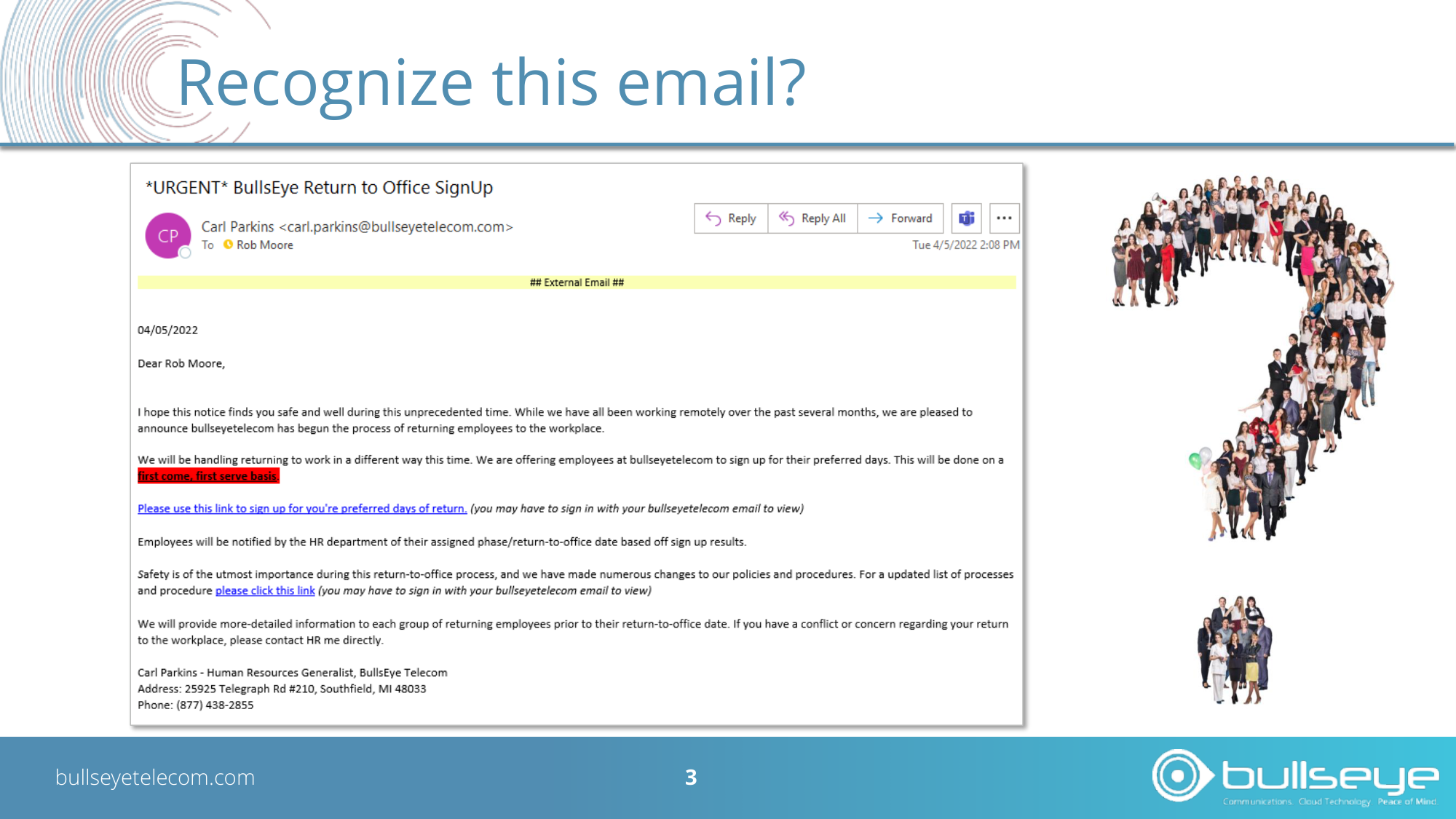
Recognize this email?
bullseyetelecom.com
4
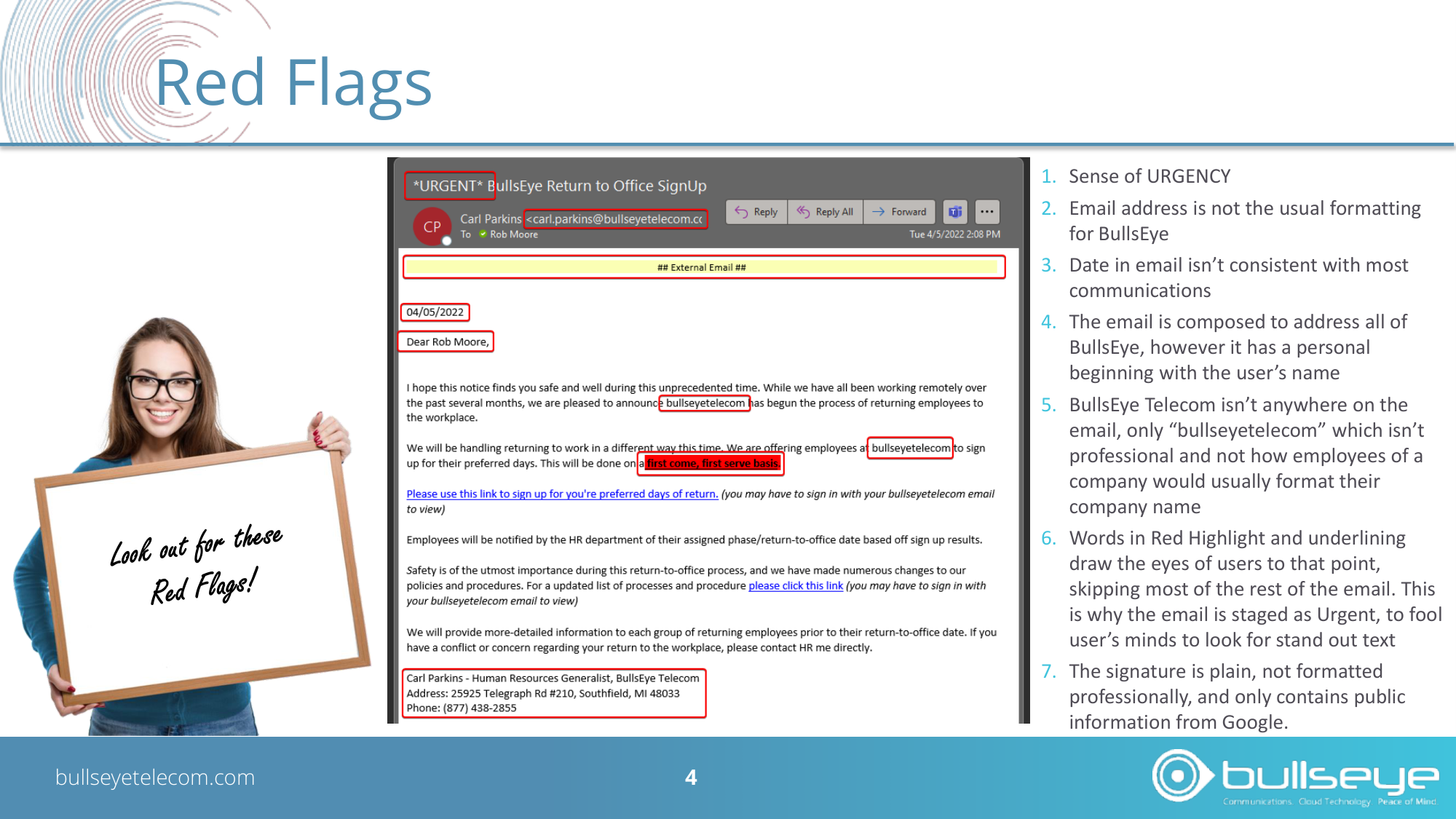
Red Flags
1. Sense of URGENCY
2. Email address is not the usual formatting
for BullsEye
3. Date in email isn’t consistent with most
communications
4. The email is composed to address all of
BullsEye, however it has a personal
beginning with the user’s name
5. BullsEye Telecom isn’t anywhere on the
email, only “bullseyetelecom” which isn’t
professional and not how employees of a
company would usually format their
company name
6. Words in Red Highlight and underlining
draw the eyes of users to that point,
skipping most of the rest of the email. This
is why the email is staged as Urgent, to fool
user’s minds to look for stand out text
7. The signature is plain, not formatted
professionally, and only contains public
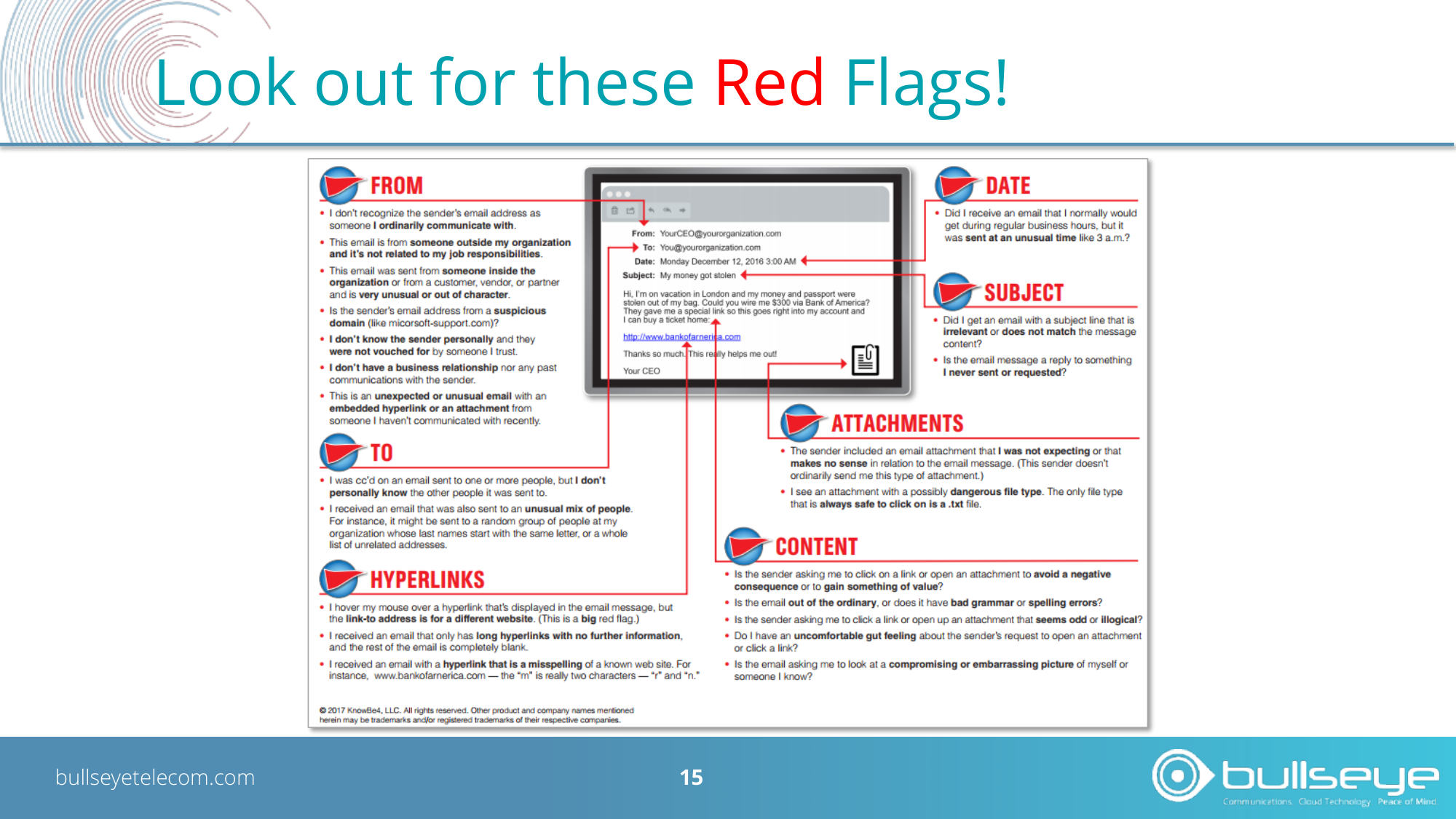
information from Google.Look out for these Red Flags!
Let’s review some more Red Flags!
bullseyetelecom.com
6
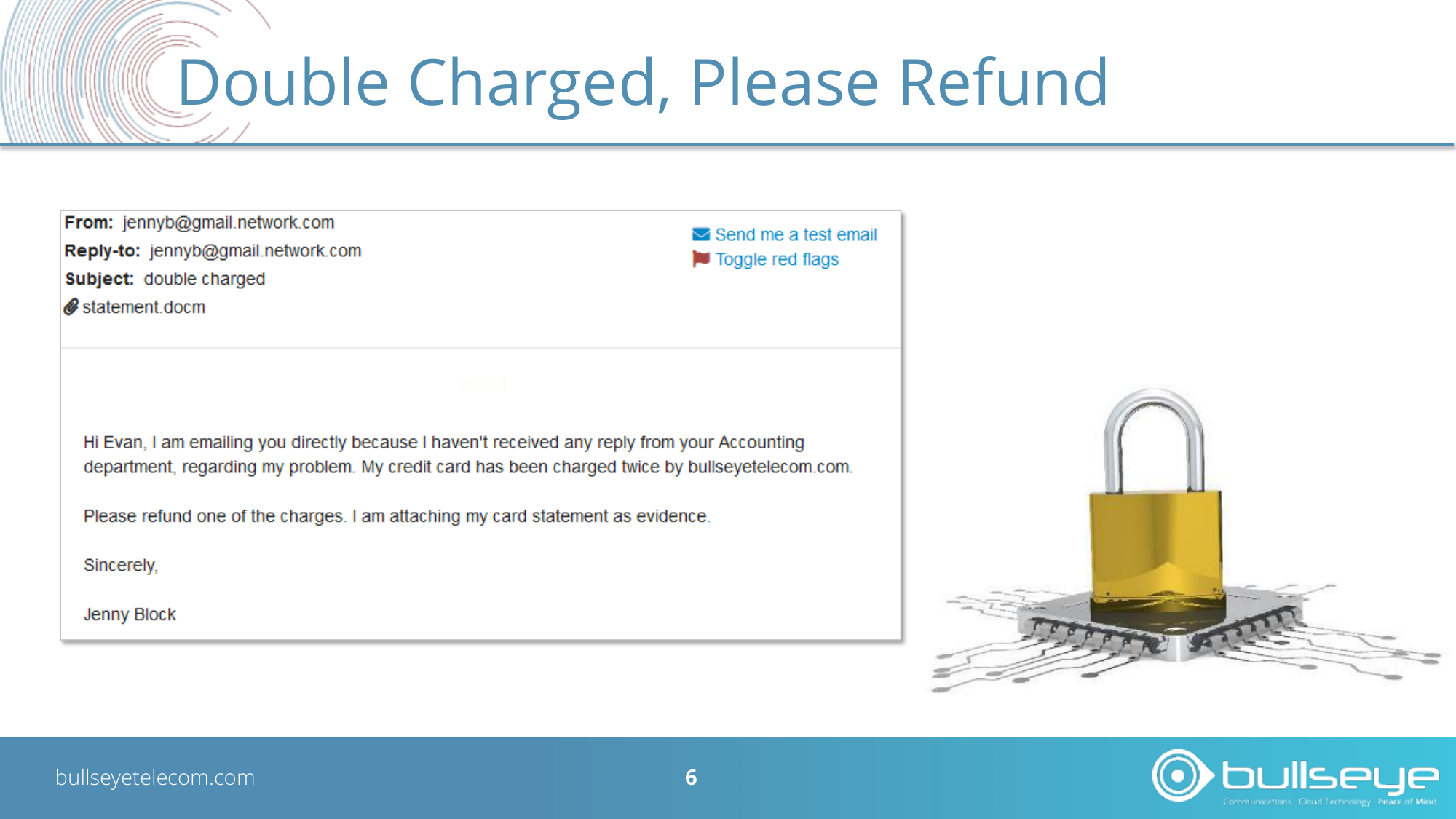
Double Charged, Please Refund
bullseyetelecom.com
7
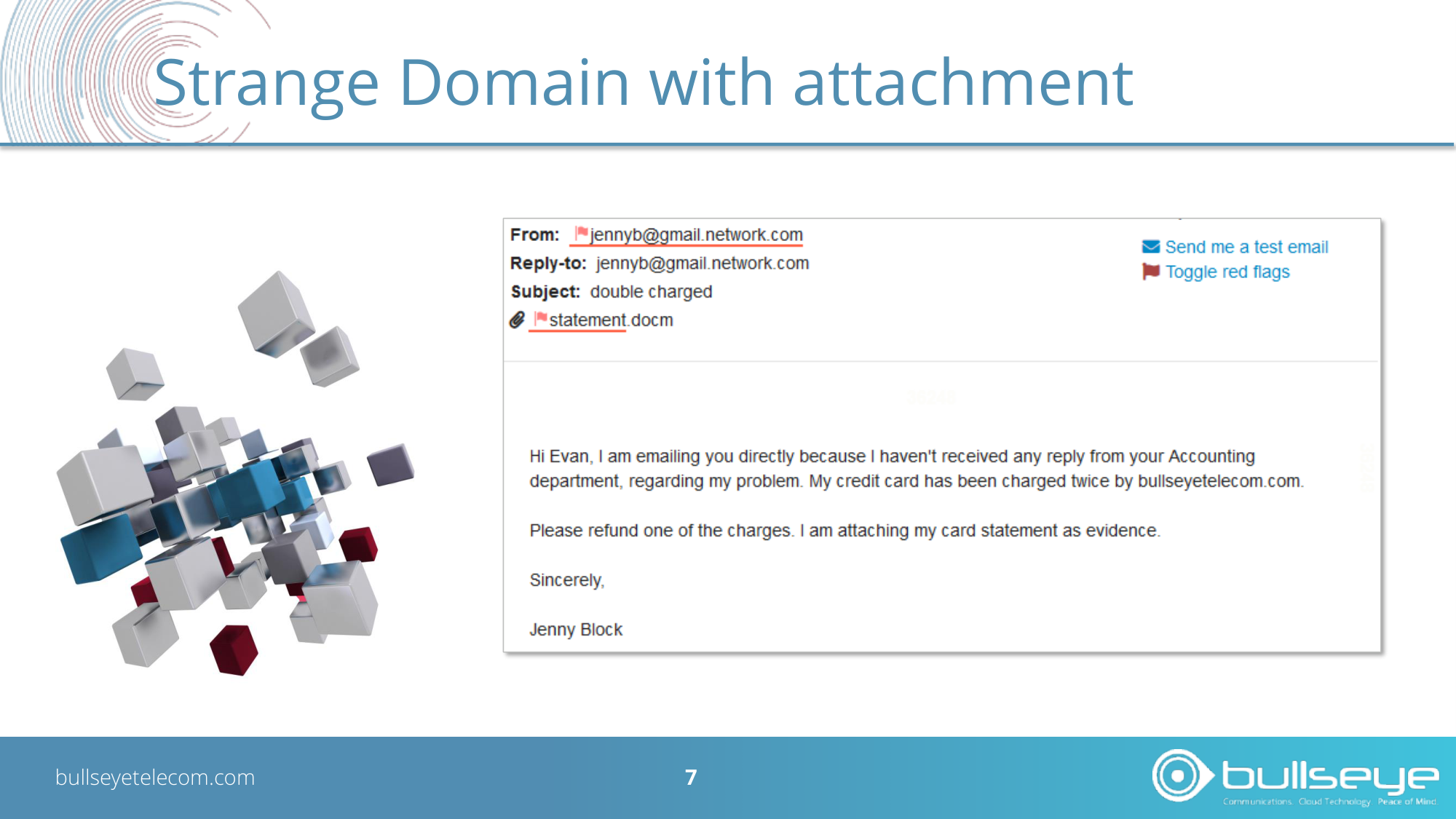
Strange Domain with attachment
bullseyetelecom.com
8
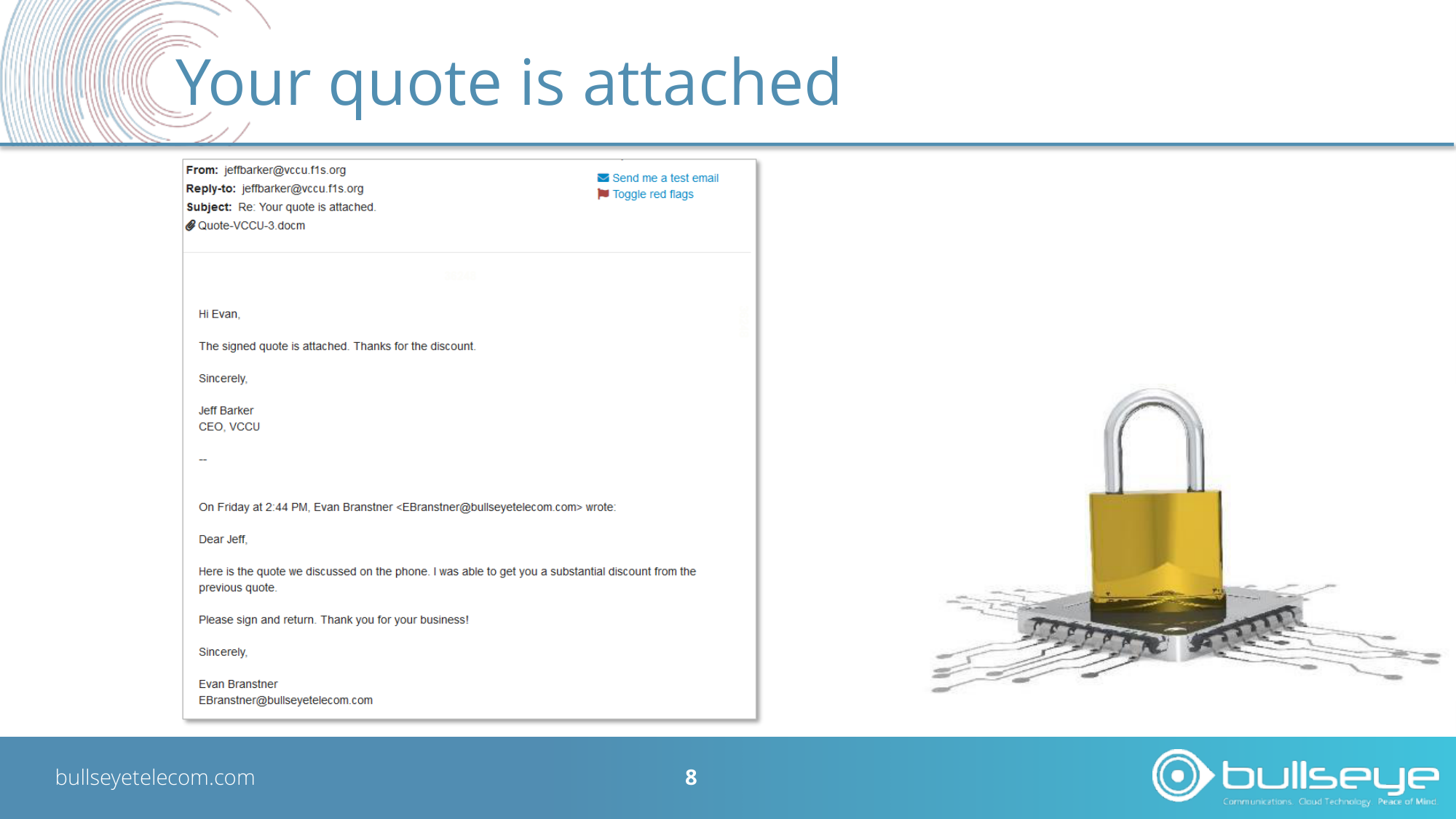
Your quote is attached
bullseyetelecom.com
9
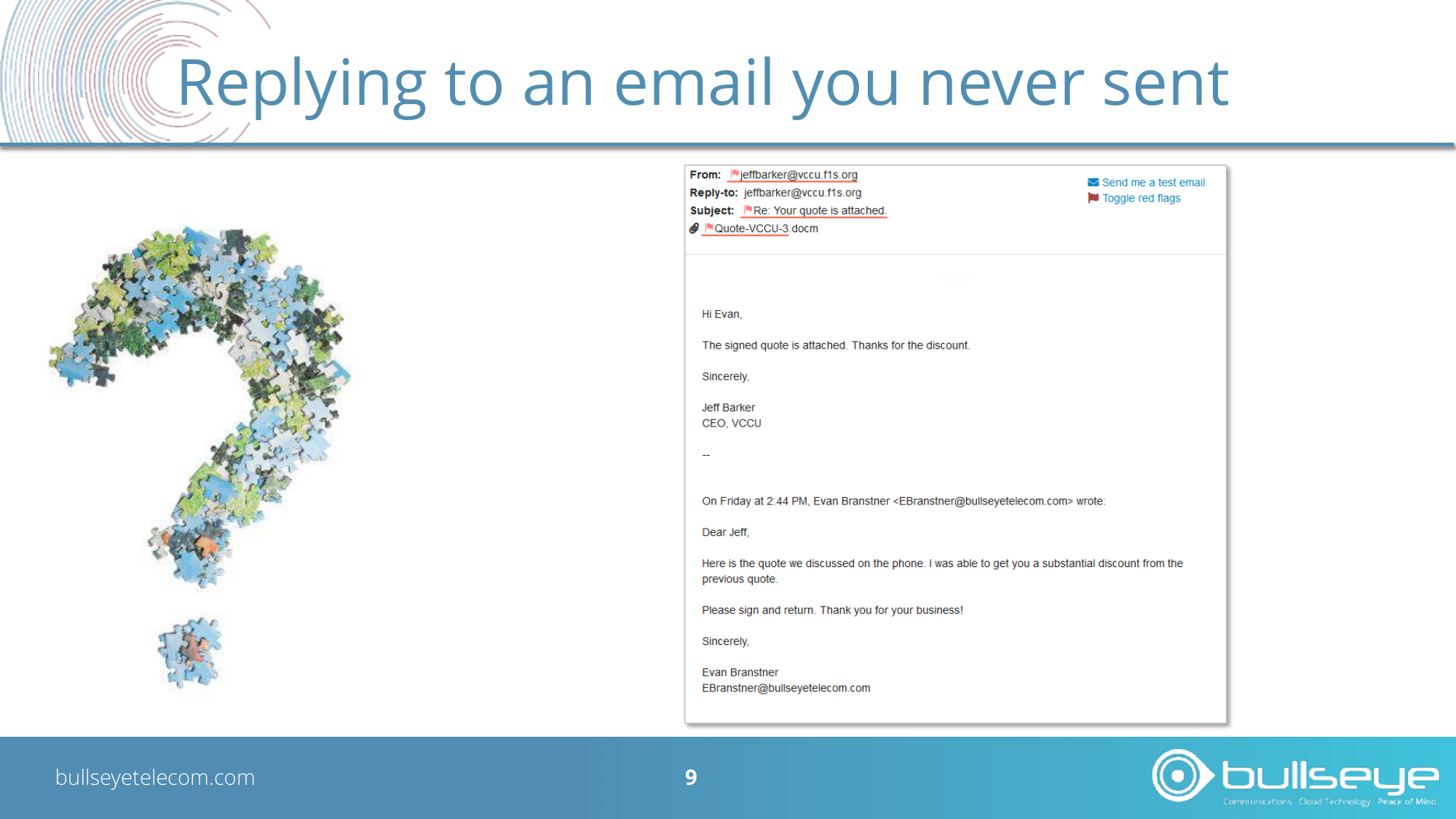
Replying to an email you never sent
Can you find the Red Flags?
bullseyetelecom.com
11
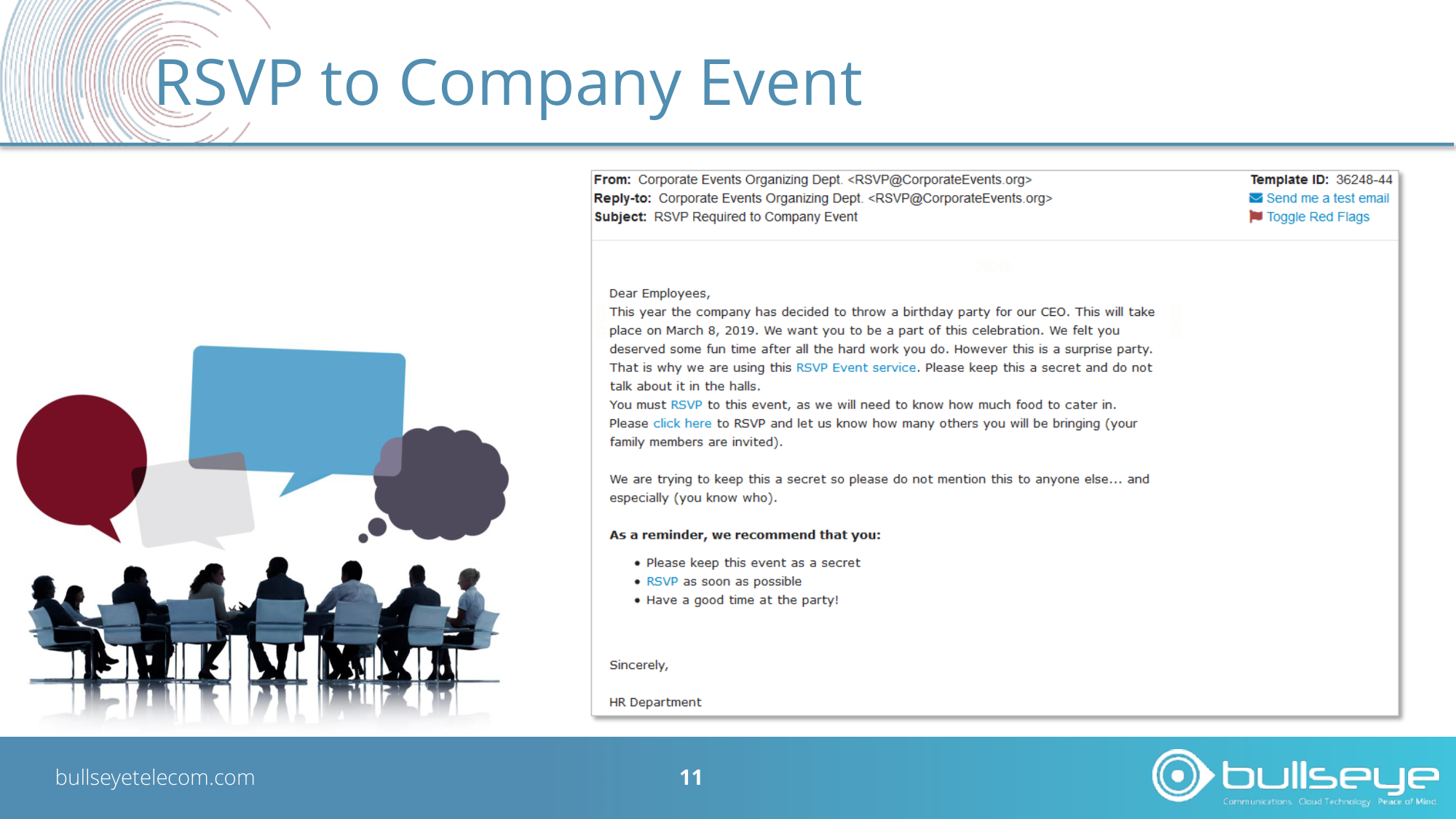
RSVP to Company Event
bullseyetelecom.com
12
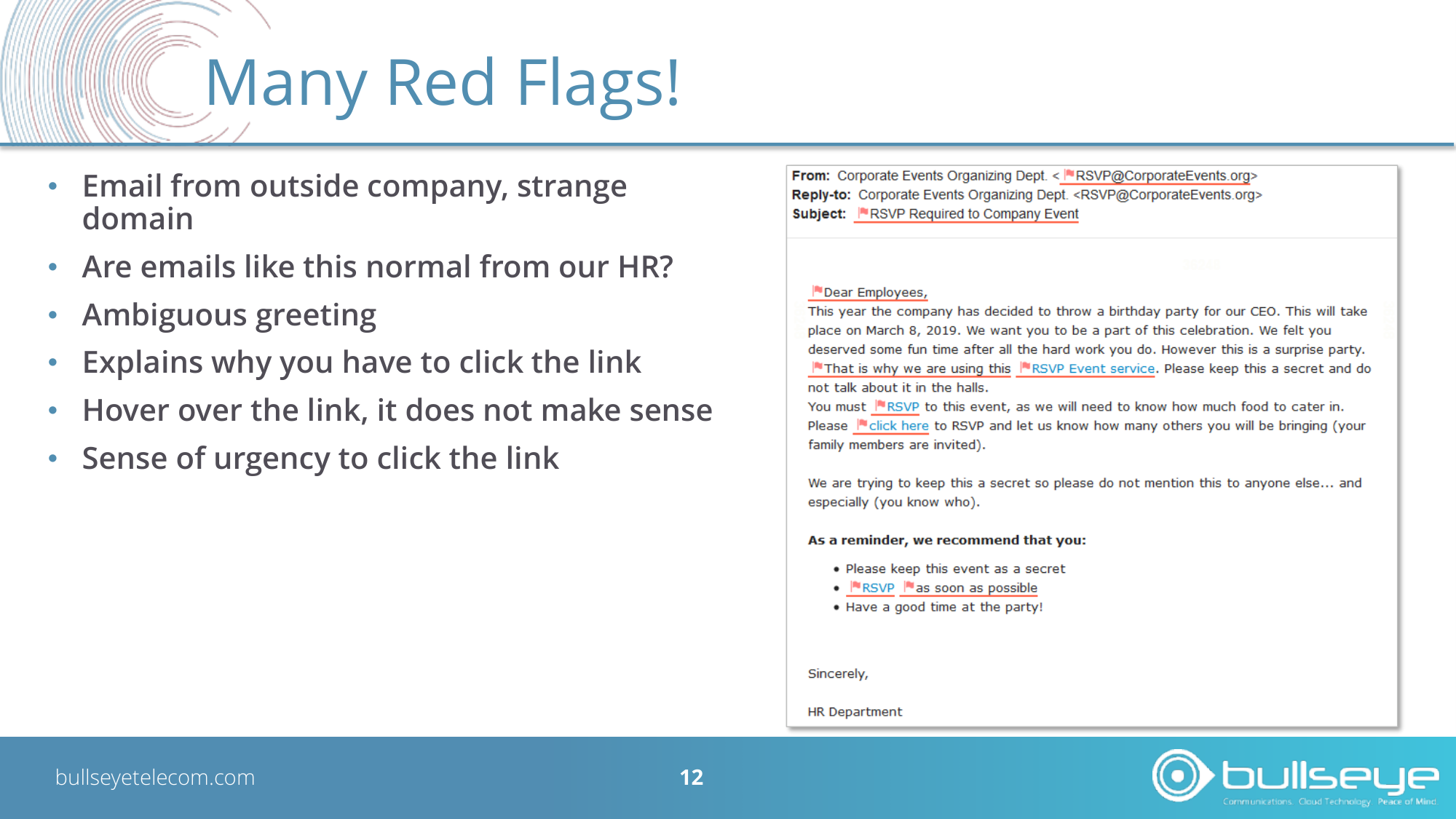
Many Red Flags!
• Email from outside company, strange
domain
• Are emails like this normal from our HR?
• Ambiguous greeting
• Explains why you have to click the link
• Hover over the link, it does not make sense
• Sense of urgency to click the link
bullseyetelecom.com
13
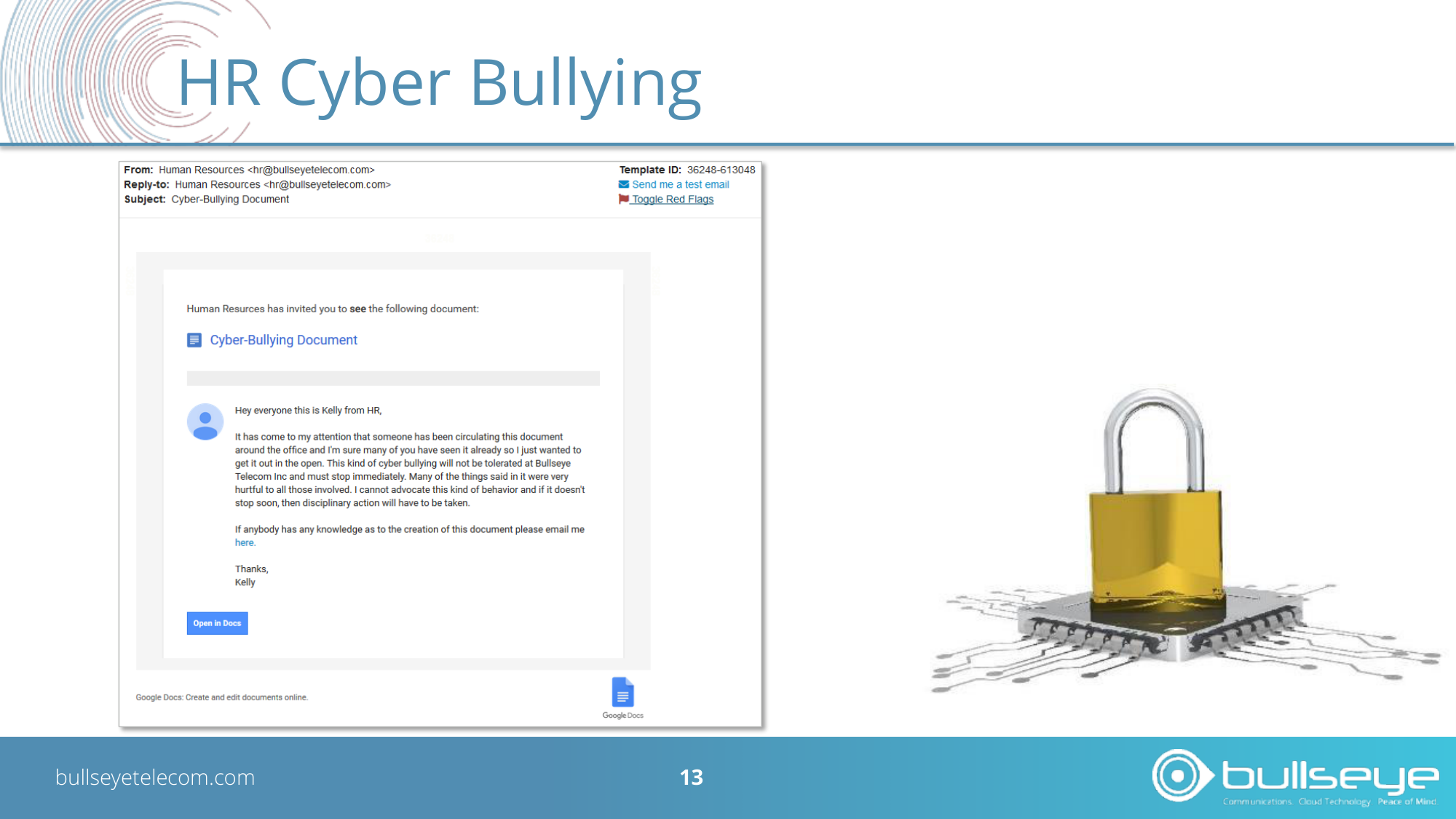
HR Cyber Bullying
bullseyetelecom.com
14
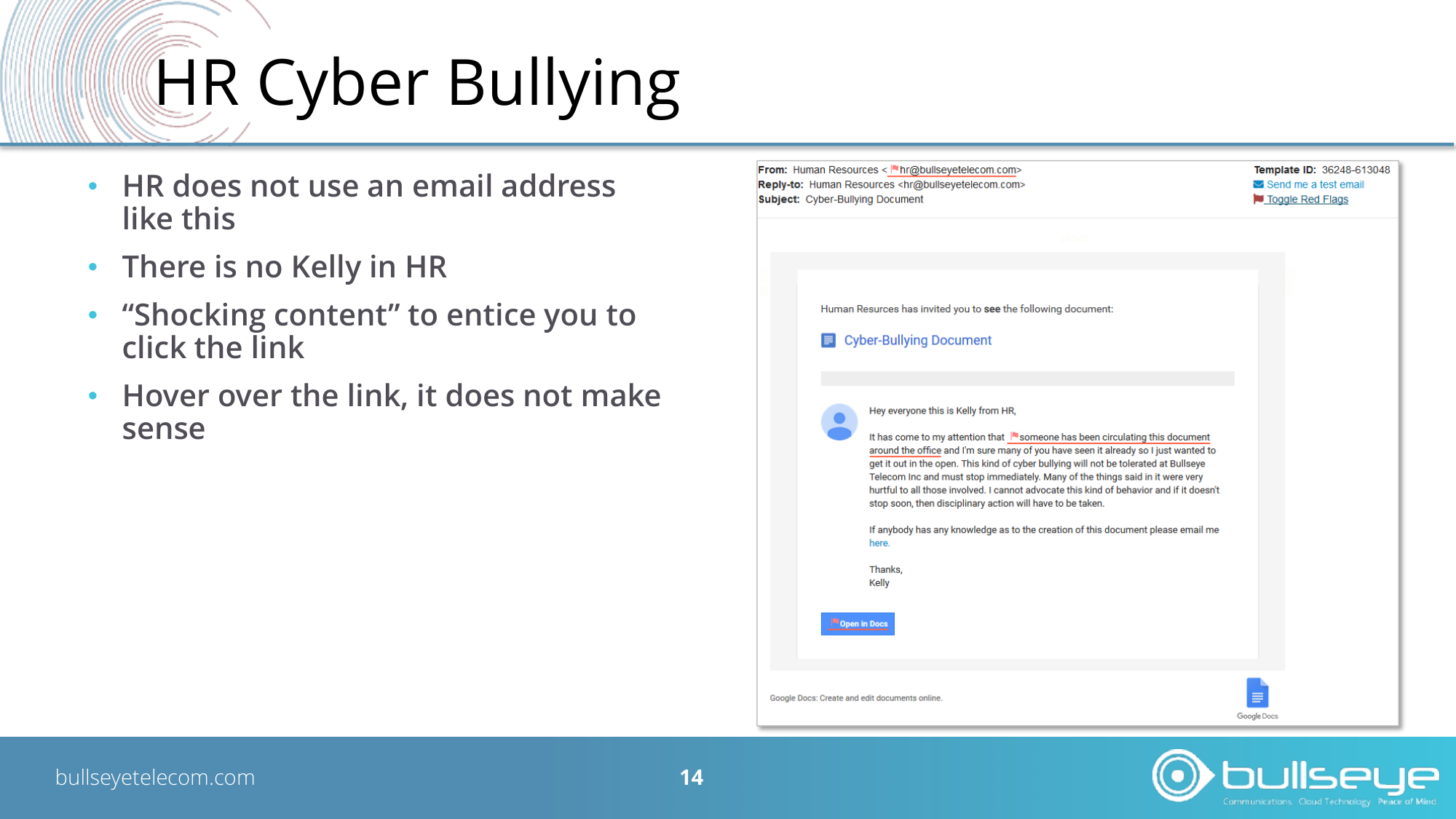
HR Cyber Bullying
• HR does not use an email address
like this
• There is no Kelly in HR
• “Shocking content” to entice you to
click the link
• Hover over the link, it does not make
sense
bullseyetelecom.com
15
Look out for these Red Flags!
bullseyetelecom.com
16
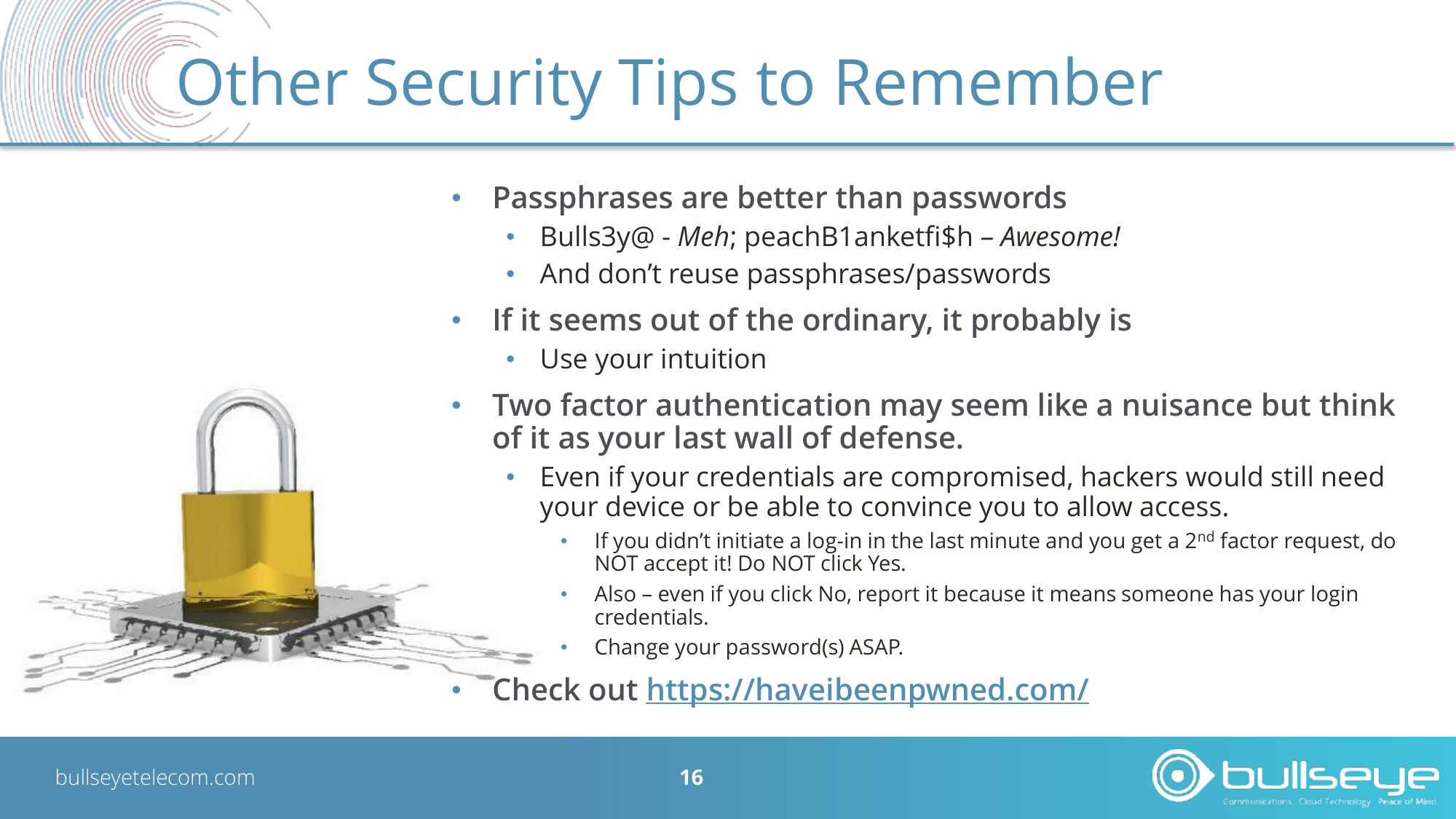
Other Security Tips to Remember
•
Passphrases are better than passwords
•
Bulls3y@ - Meh; peachB1anketfi$h – Awesome!
•
And don’t reuse passphrases/passwords
•
If it seems out of the ordinary, it probably is
•
Use your intuition
•
Two factor authentication may seem like a nuisance but think
of it as your last wall of defense.
•
Even if your credentials are compromised, hackers would still need
your device or be able to convince you to allow access.
•
If you didn’t initiate a log-in in the last minute and you get a 2nd factor request, do
NOT accept it! Do NOT click Yes.
•
Also – even if you click No, report it because it means someone has your login
credentials.
•
Change your password(s) ASAP.
•
Check out https://haveibeenpwned.com/
Questions?
Thank you for attending