
Knowledge Getting Started Guide for Customers & Partners
Summary: This guide will get you started with navigating and searching content in Knowledge, Lingo + BullsEye's knowledge base where you can find guides and videos related to our products, portals, support, and more.
Download article(s)
 SF Knowledge Getting Started Guide External.pdf
SF Knowledge Getting Started Guide External
Knowledge Getting Started Guide for Customers & Partners
1
05/01/23
Accessing Knowledge
Note: For users without MBA access, you can also access our Knowledge site for guides, instructional
videos, and more by going to https://communties.force.com/BullsEyeCustomerCommunity or
going to www.lingo.com and selecting the Resources menu and then Knowledge Base.
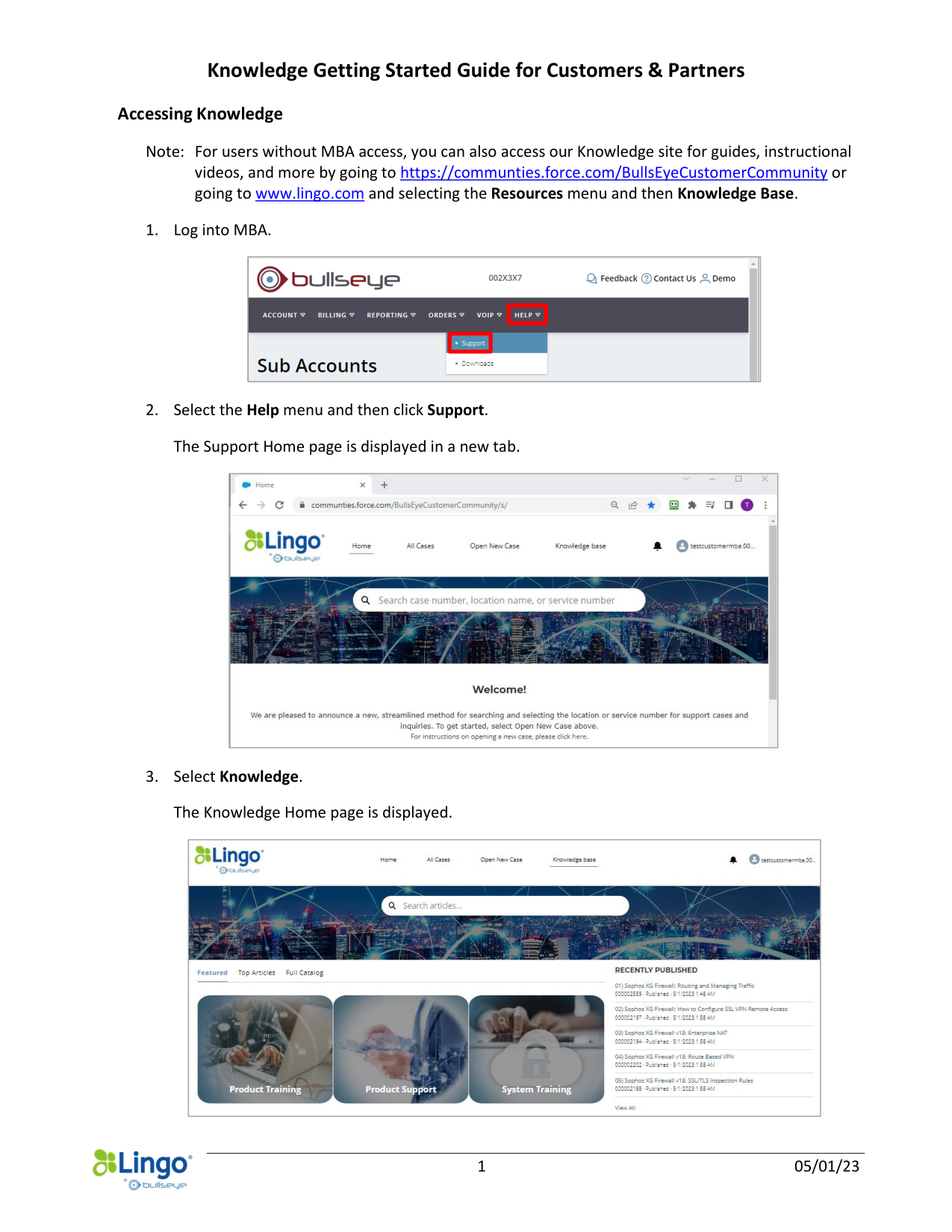
1. Log into MBA.
2. Select the Help menu and then click Support.
The Support Home page is displayed in a new tab.
3. Select Knowledge.
The Knowledge Home page is displayed.
Knowledge Getting Started Guide for Customers & Partners
2
05/01/23
Searching for an Article
Search Rules: Only published articles are searched. All text fields on the Article Details page as well as
the body of any attachments (in the case of Document articles) are included in searches.
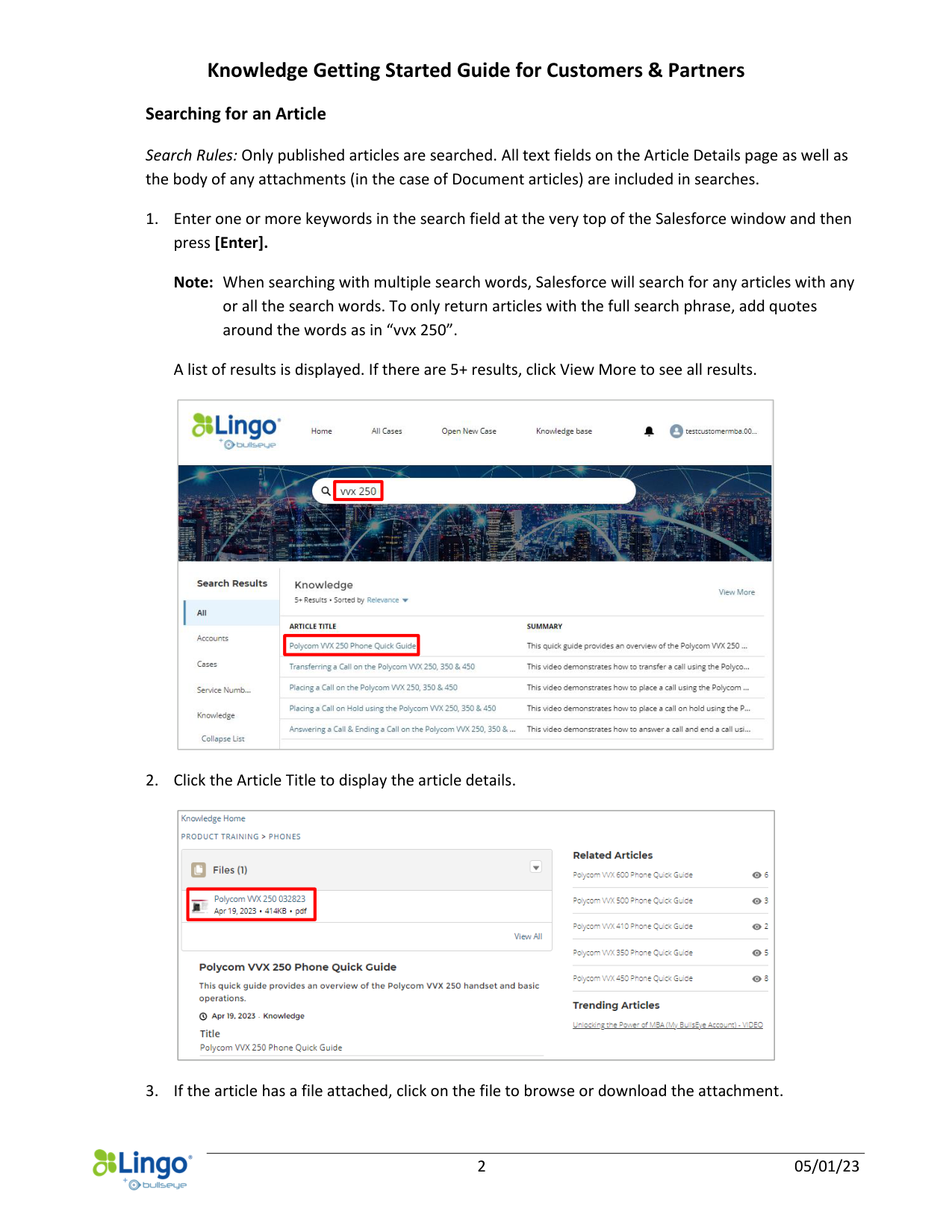
1. Enter one or more keywords in the search field at the very top of the Salesforce window and then
press [Enter].
Note: When searching with multiple search words, Salesforce will search for any articles with any
or all the search words. To only return articles with the full search phrase, add quotes
around the words as in “vvx 250”.
A list of results is displayed. If there are 5+ results, click View More to see all results.
2. Click the Article Title to display the article details.
3. If the article has a file attached, click on the file to browse or download the attachment.
Knowledge Getting Started Guide for Customers & Partners
3
05/01/23
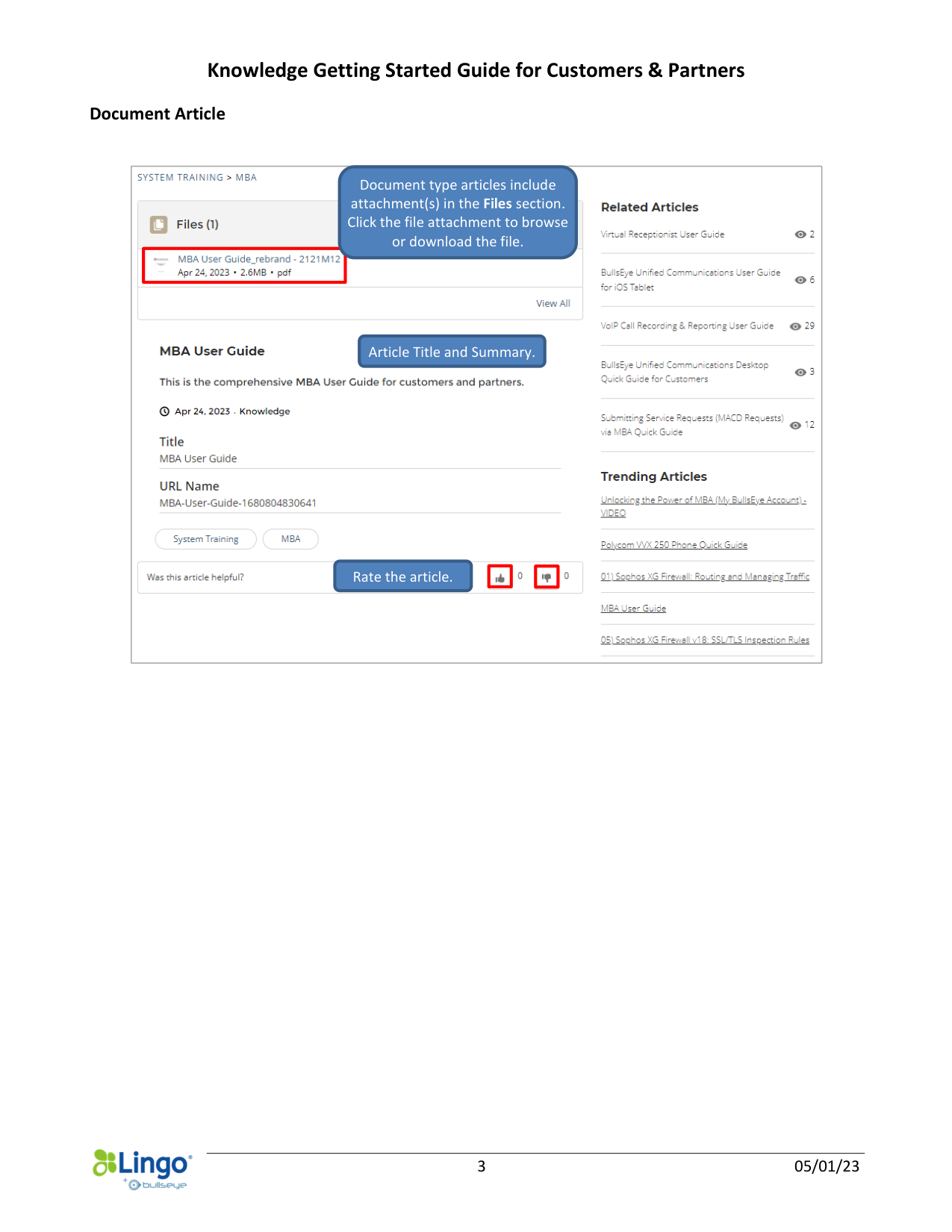
Document Article
Rate the article.
Article Title and Summary.
Document type articles include
attachment(s) in the Files section.
Click the file attachment to browse
or download the file.
Knowledge Getting Started Guide for Customers & Partners
4
05/01/23
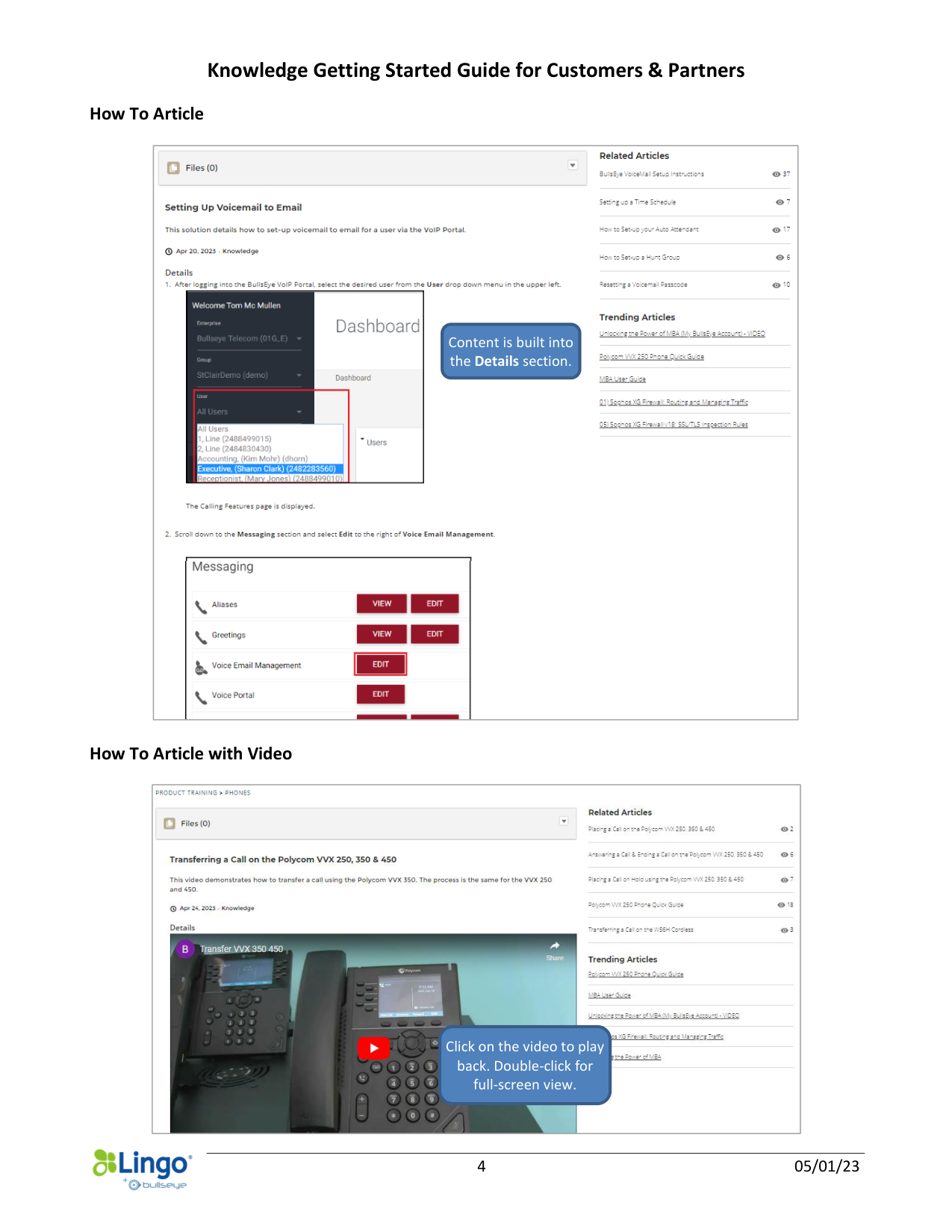
How To Article
How To Article with Video
Content is built into
the Details section.
Click on the video to play
back. Double-click for
full-screen view.
Knowledge Getting Started Guide for Customers & Partners
5
05/01/23
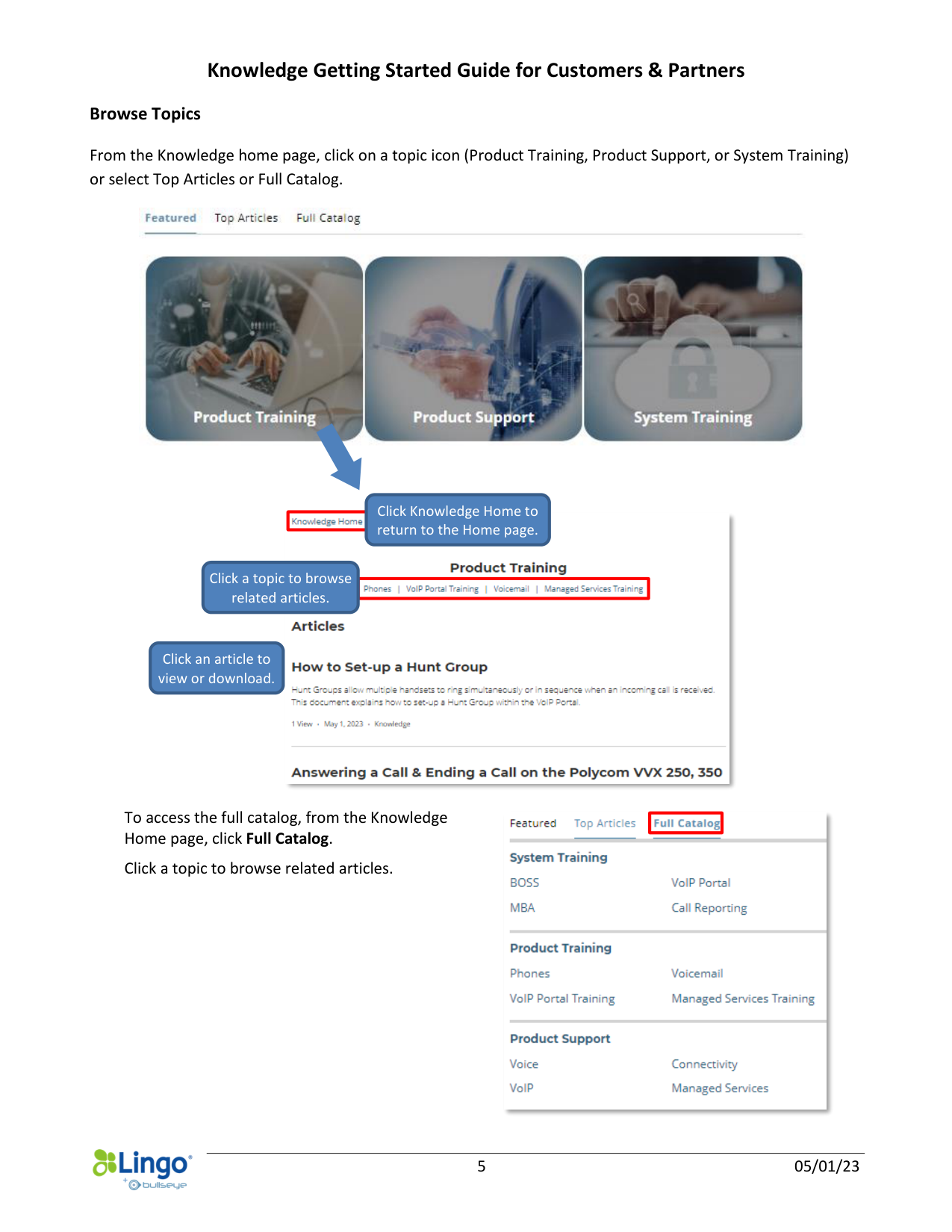
Browse Topics
From the Knowledge home page, click on a topic icon (Product Training, Product Support, or System Training)
or select Top Articles or Full Catalog.
To access the full catalog, from the Knowledge
Home page, click Full Catalog.
Click a topic to browse related articles.
Click an article to
view or download.
Click a topic to browse
related articles.
Click Knowledge Home to
return to the Home page.