
Managing Call Forwarding
Summary: Follow the instructions below to change call forwarding for a specific VoIP phone line.
Download article(s)
 Managing Call Forwarding _ Knowledge _ Salesforce.pdf
Managing Call Forwarding _ Knowledge _ Salesforce
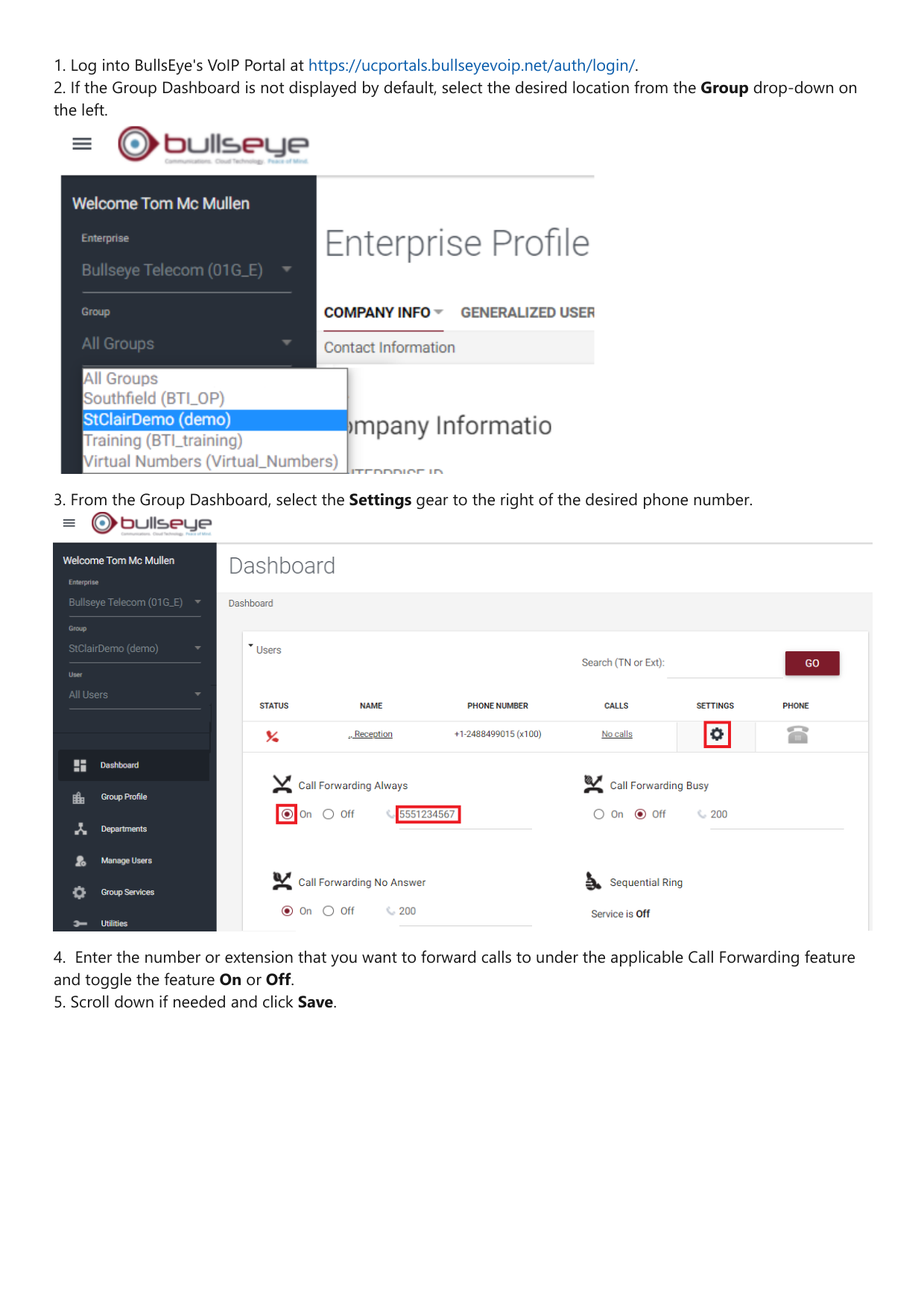
1. Log into BullsEye's VoIP Portal at https://ucportals.bullseyevoip.net/auth/login/.
2. If the Group Dashboard is not displayed by default, select the desired location from the Group drop-down on
the left.
3. From the Group Dashboard, select the Settings gear to the right of the desired phone number.
4. Enter the number or extension that you want to forward calls to under the applicable Call Forwarding feature
and toggle the feature On or Off.
5. Scroll down if needed and click Save.