
Setting Up Voicemail to Email
Summary: This solution details how to set-up voicemail to email for a user via the VoIP Portal.
Download article(s)
 Setting Up Voicemail to Email _ Knowledge _ Salesforce.pdf
Setting Up Voicemail to Email _ Knowledge _ Salesforce
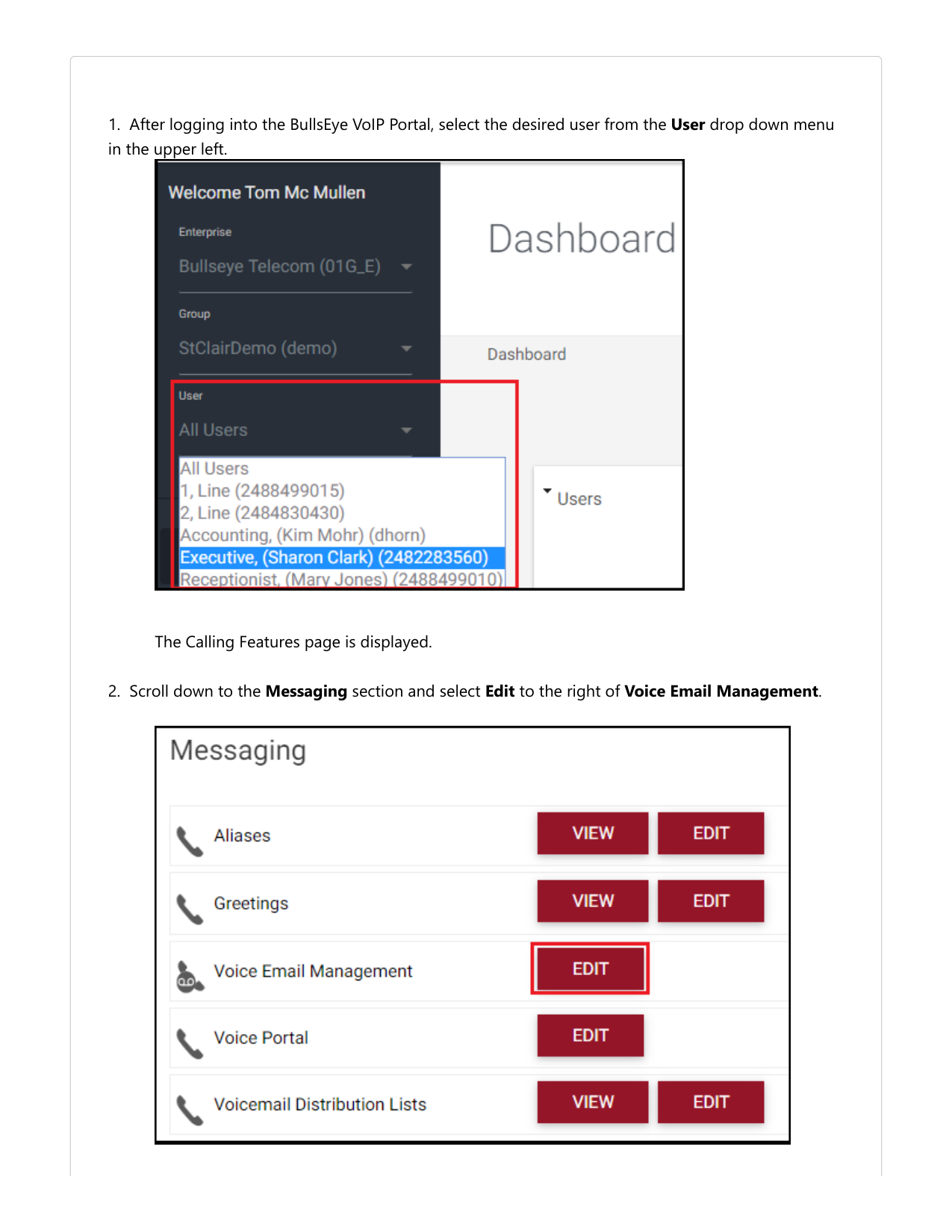
1. After logging into the BullsEye VoIP Portal, select the desired user from the User drop down menu
in the upper left.
The Calling Features page is displayed.
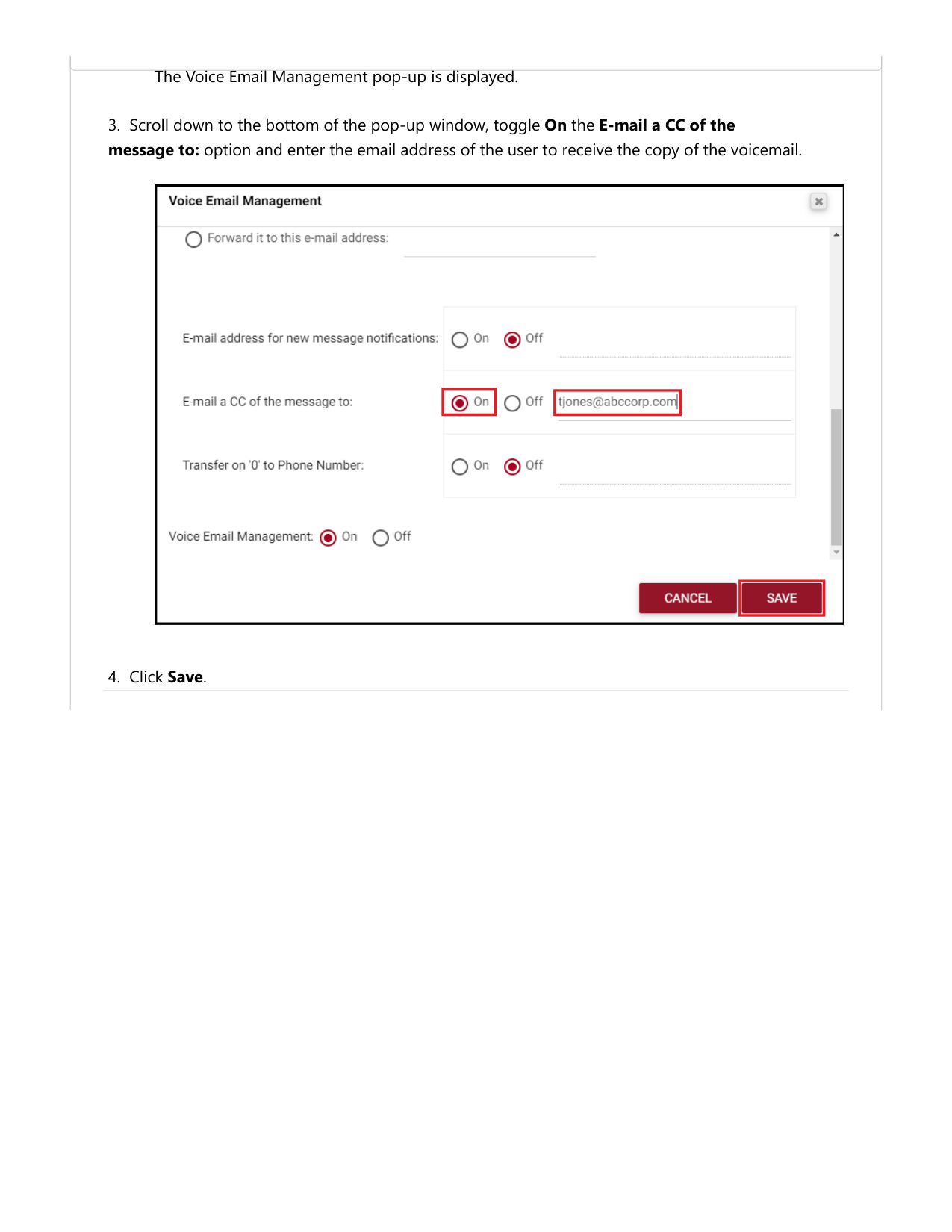
2. Scroll down to the Messaging section and select Edit to the right of Voice Email Management.
The Voice Email Management pop-up is displayed.
3. Scroll down to the bottom of the pop-up window, toggle On the E-mail a CC of the
message to: option and enter the email address of the user to receive the copy of the voicemail.
4. Click Save.