
Unleashing the Potential of Your BullsEye VoIP Solution
Summary: This slide deck presents an overview of key features that can be managed via BullsEye's VoIP Portal to optimize your BullsEye VoIP Solution.
Download article(s)
 Unleashing the Potential of Your BullsEye VoIP Solution.pdf
Unleashing the Potential of Your BullsEye VoIP Solution


bullseyetelecom.com
Proprietary & Confidential
Unleashing the Potential of
Your BullsEye VoIP Solution
Tom McMullen
Training & Development Manager
bullseyetelecom.com
Proprietary & Confidential
bullseyetelecom.com
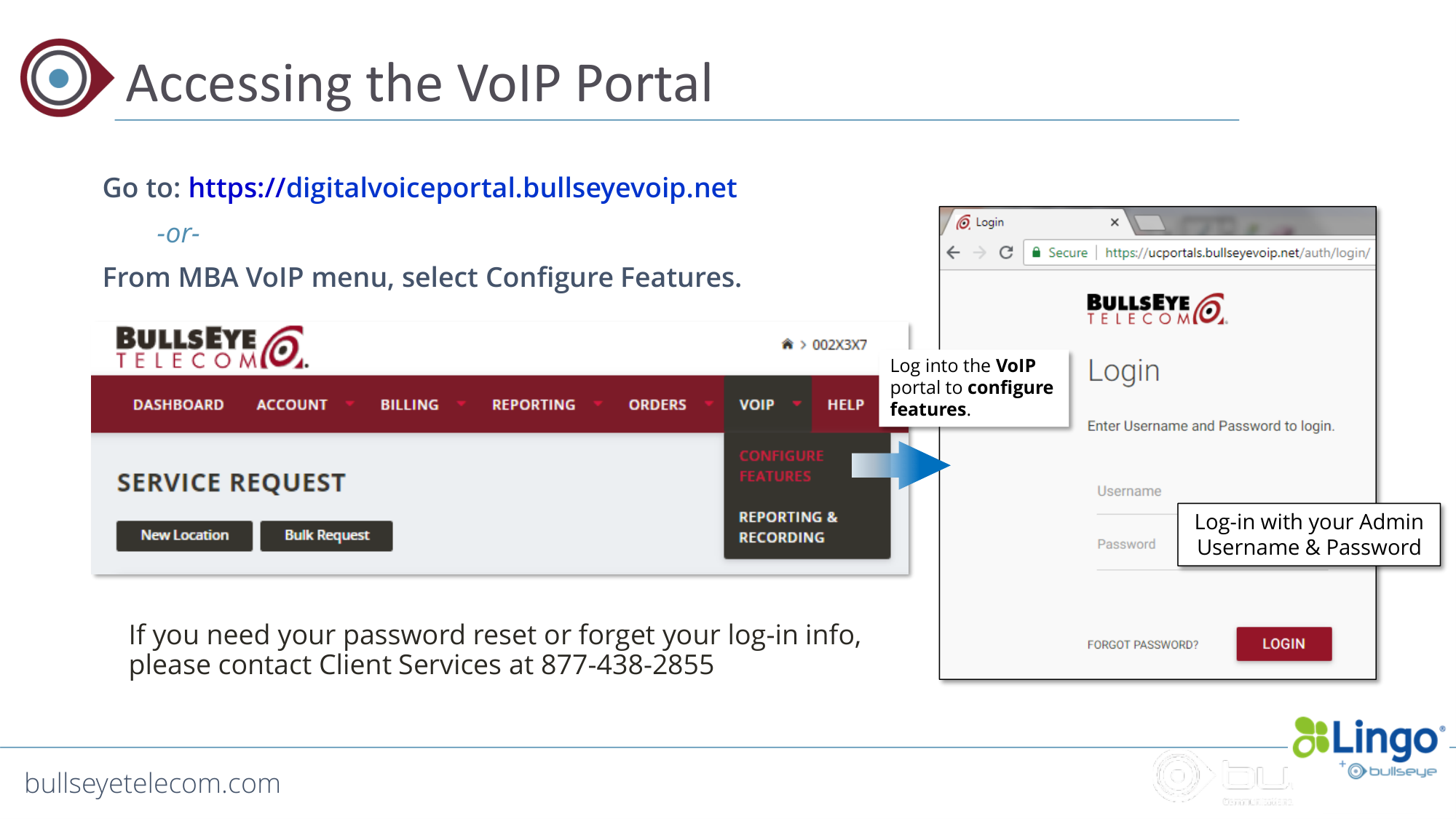
Accessing the VoIP Portal
Go to: https://digitalvoiceportal.bullseyevoip.net
-or-
From MBA VoIP menu, select Configure Features.
Log-in with your Admin
Username & Password
Log into the VoIP
portal to configure
features.
If you need your password reset or forget your log-in info,
please contact Client Services at 877-438-2855
bullseyetelecom.com
Proprietary & Confidential
bullseyetelecom.com
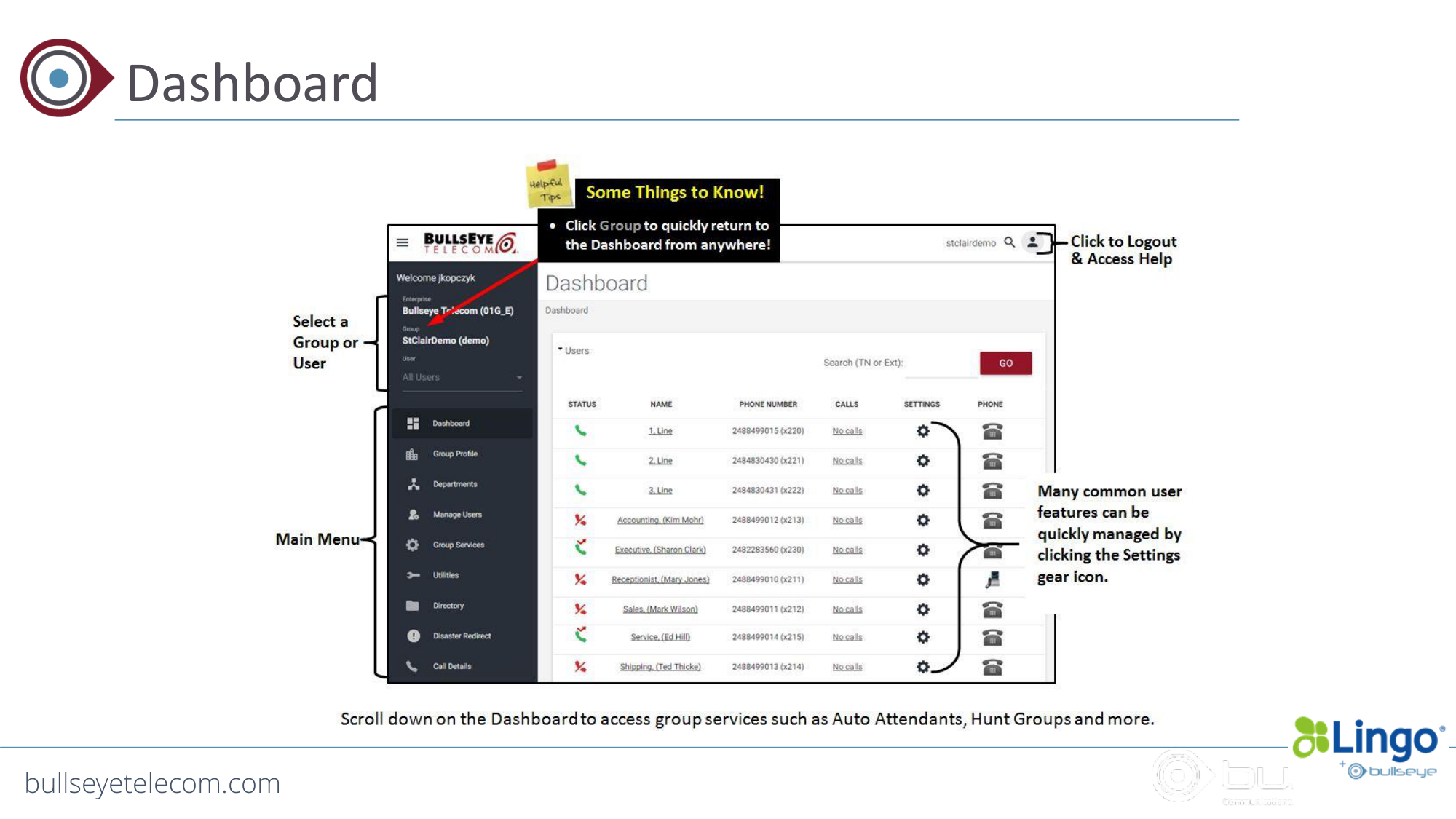
Dashboard
bullseyetelecom.com
Proprietary & Confidential
bullseyetelecom.com
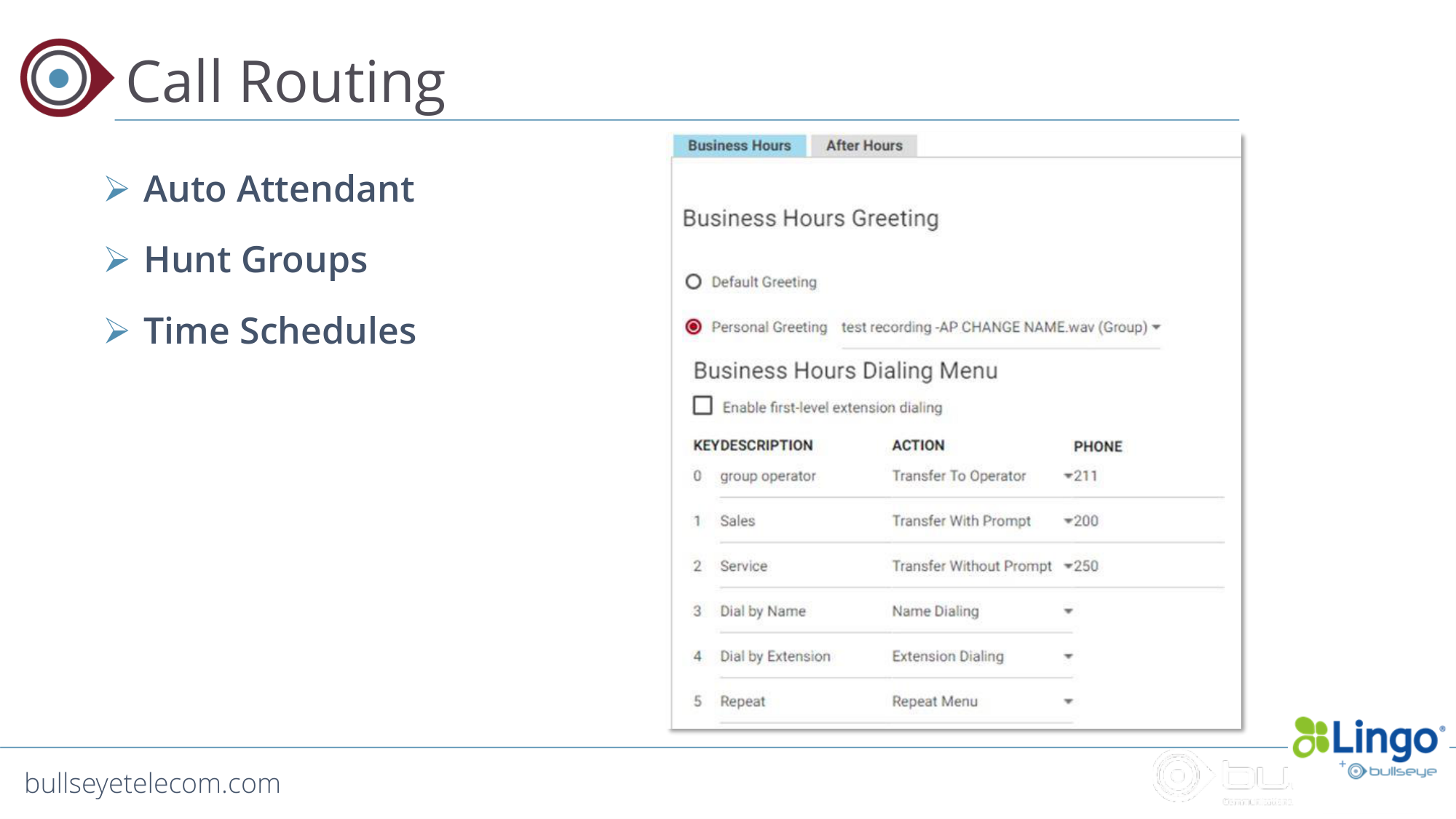
Call Routing
Auto Attendant
Hunt Groups
Time Schedules
bullseyetelecom.com
Proprietary & Confidential
bullseyetelecom.com
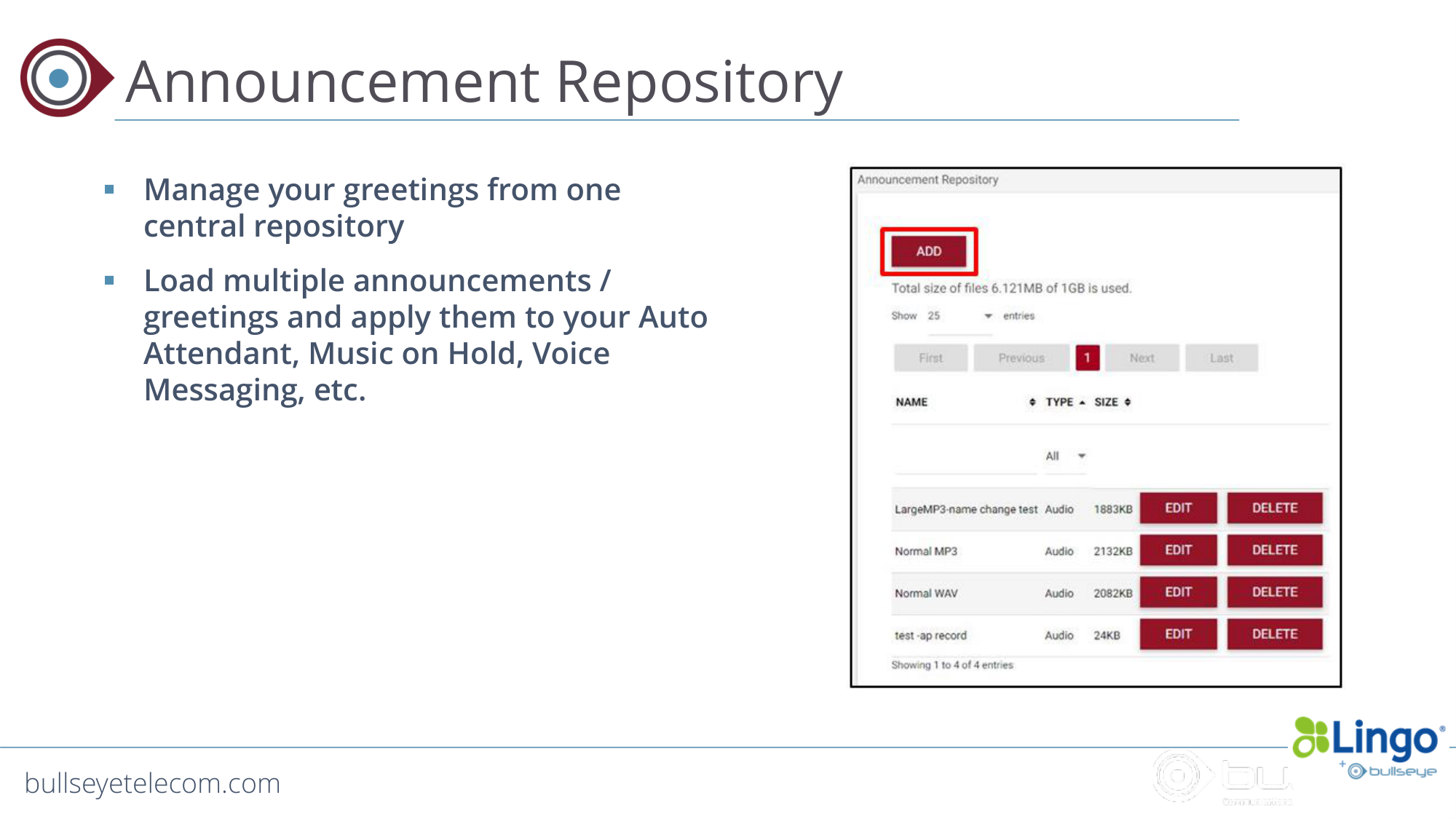
Announcement Repository
Manage your greetings from one
central repository
Load multiple announcements /
greetings and apply them to your Auto
Attendant, Music on Hold, Voice
Messaging, etc.
bullseyetelecom.com
Proprietary & Confidential
bullseyetelecom.com
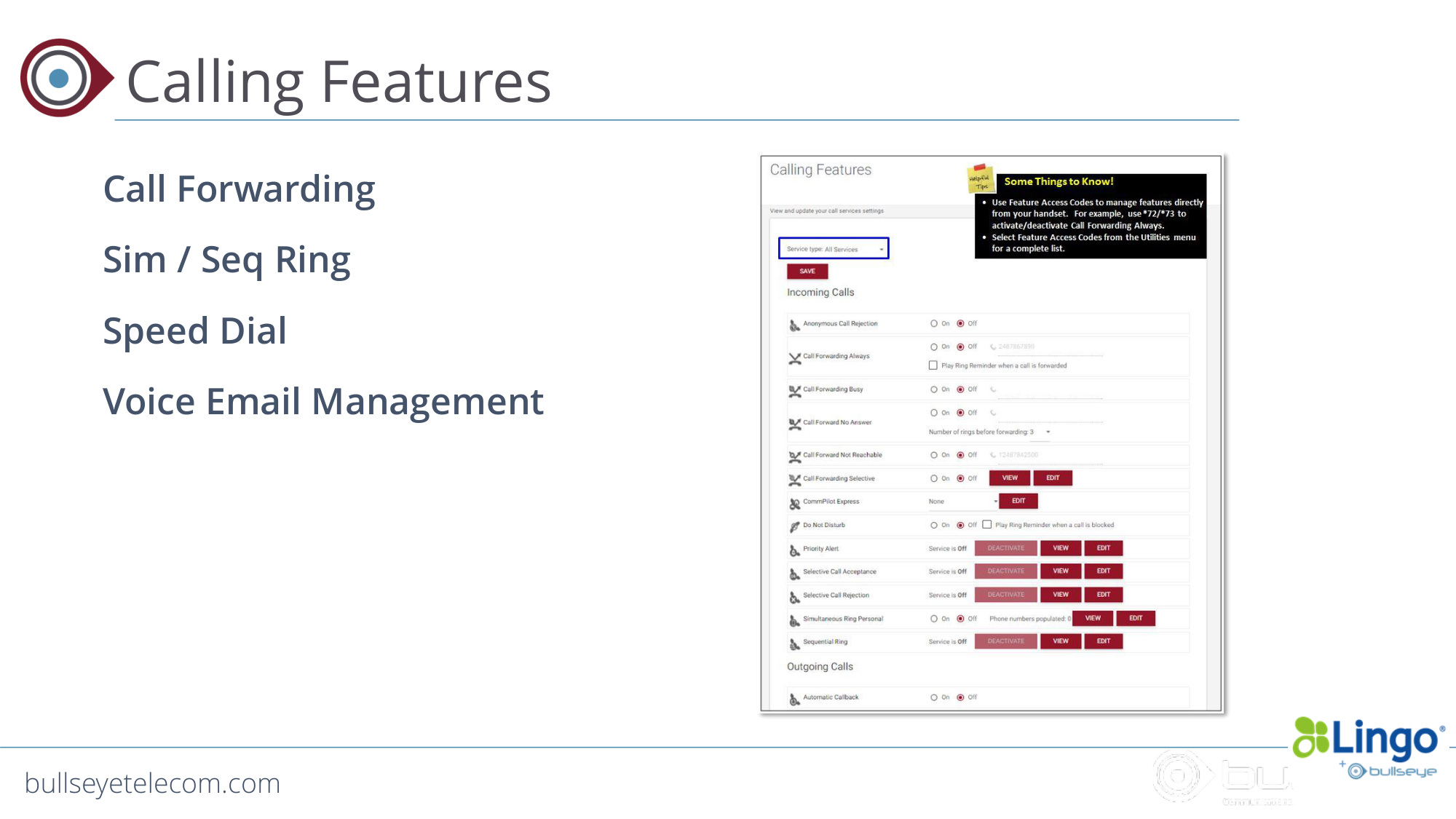
Calling Features
Call Forwarding
Sim / Seq Ring
Speed Dial
Voice Email Management
bullseyetelecom.com
Proprietary & Confidential
bullseyetelecom.com
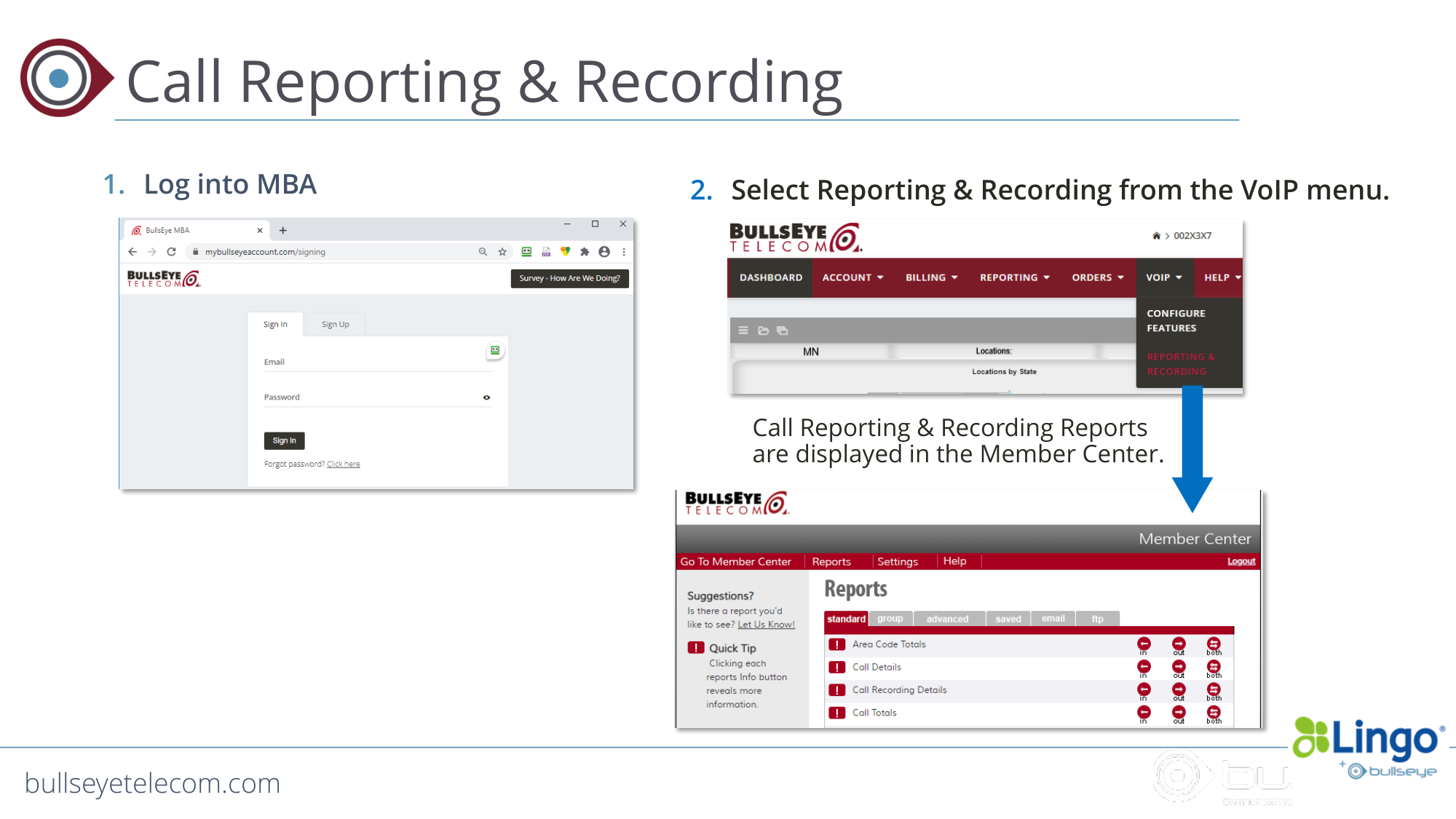
Call Reporting & Recording
1. Log into MBA
2. Select Reporting & Recording from the VoIP menu.
Call Reporting & Recording Reports
are displayed in the Member Center.
bullseyetelecom.com
Proprietary & Confidential
bullseyetelecom.com
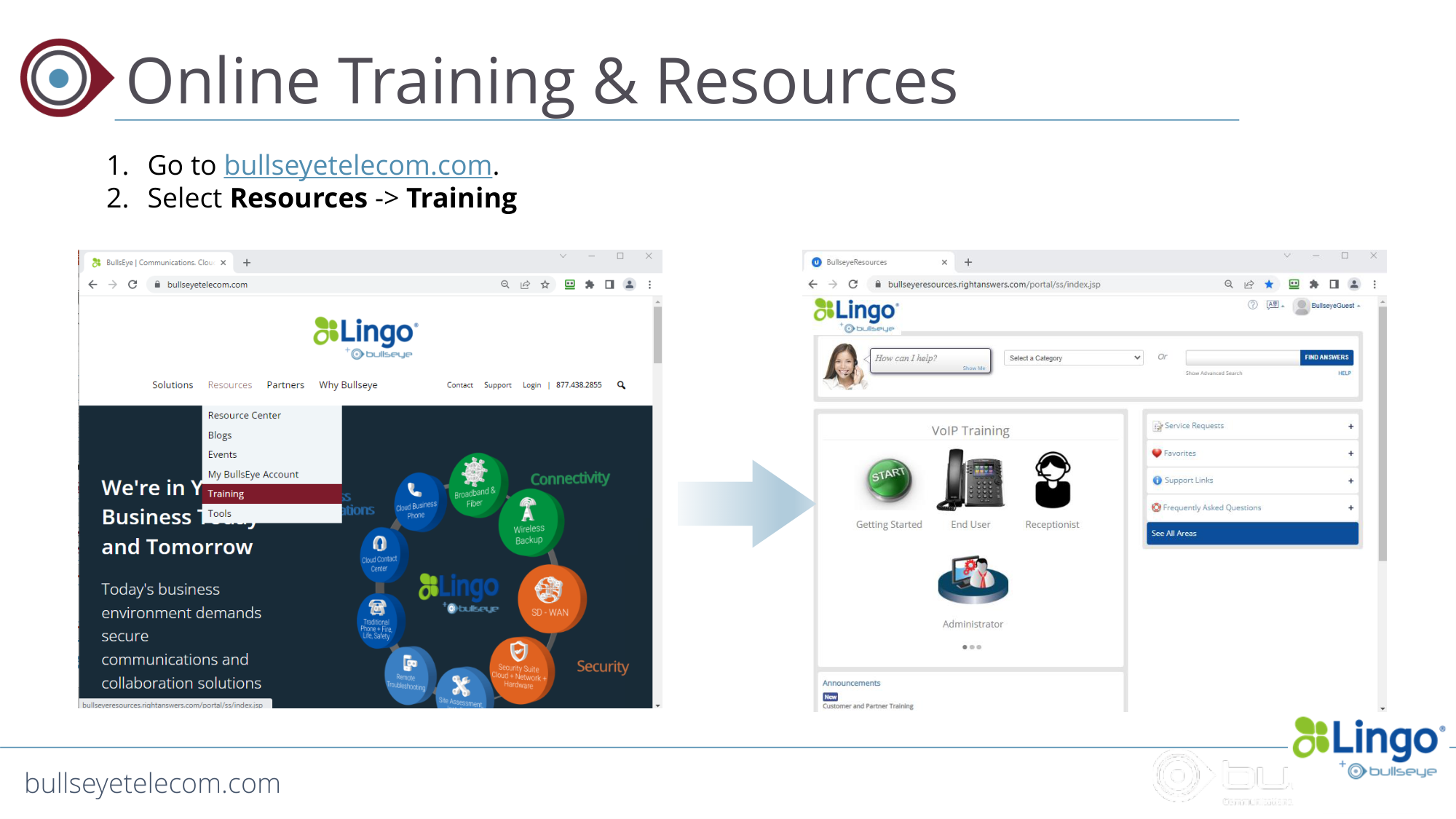
Online Training & Resources
1. Go to bullseyetelecom.com.
2. Select Resources -> Training
bullseyetelecom.com
Proprietary & Confidential
bullseyetelecom.com
Thank You!