
Introducing Knowledge for Customers & Partners
Summary: This is a brief introduction to Knowledge, Lingo + BullsEye's knowledgebase for customers and partners. Find instructions and videos for products, portals and support.
Download article(s)
 Introducing Salesforce Knowledge - Customer Partner.pdf
Introducing Salesforce Knowledge - Customer Partner
bullseyetelecom.com
Proprietary & Confidential
Introducing Salesforce Knowledge!
Tom McMullen
Training & Development Manager
bullseyetelecom.com
Proprietary & Confidential
bullseyetelecom.com | lingo.com
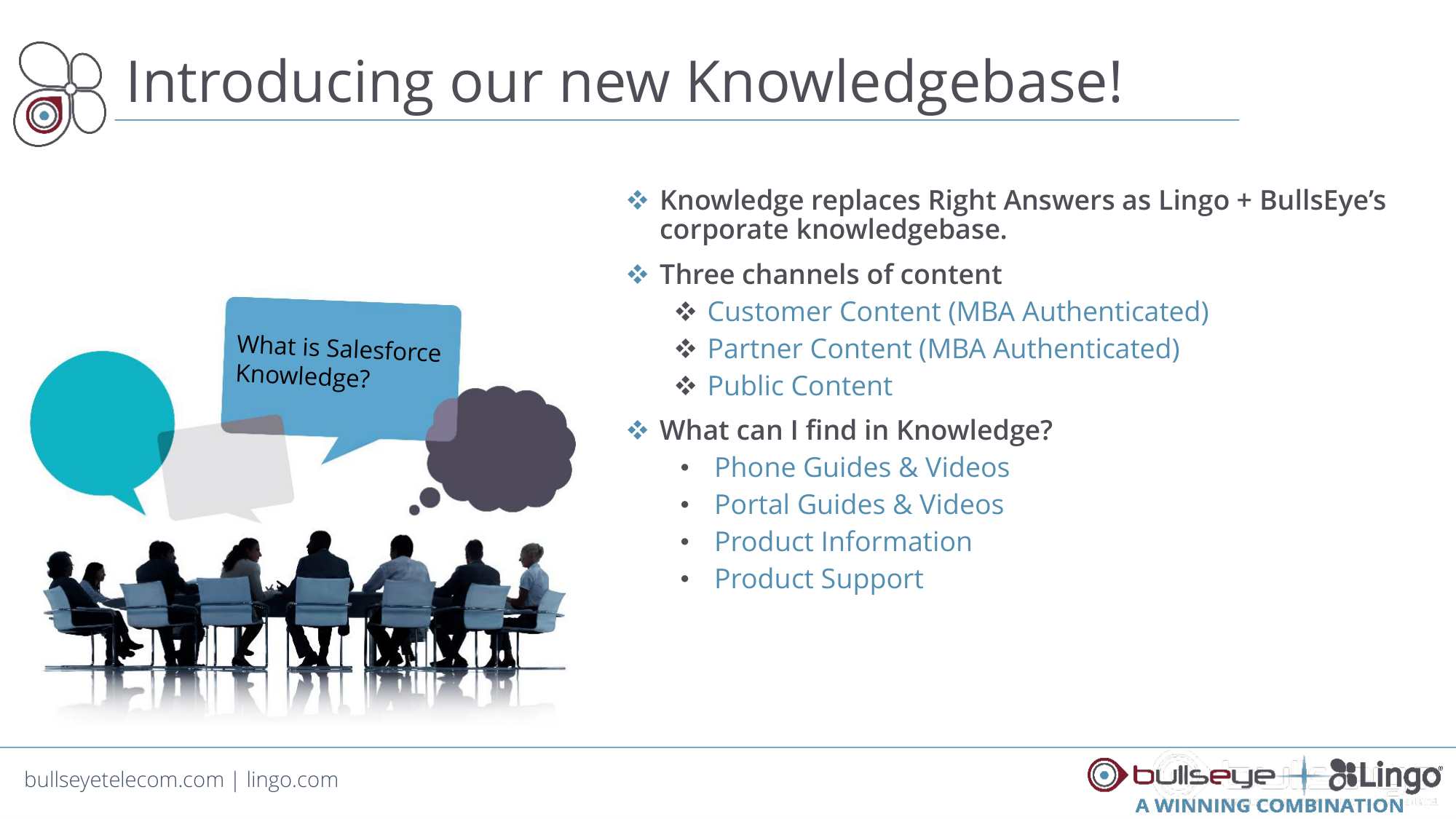
Knowledge replaces Right Answers as Lingo + BullsEye’s
corporate knowledgebase.
Three channels of content
Customer Content (MBA Authenticated)
Partner Content (MBA Authenticated)
Public Content
What can I find in Knowledge?
•
Phone Guides & Videos
•
Portal Guides & Videos
•
Product Information
•
Product Support
Introducing our new Knowledgebase!What is Salesforce Knowledge?
bullseyetelecom.com
Proprietary & Confidential
bullseyetelecom.com
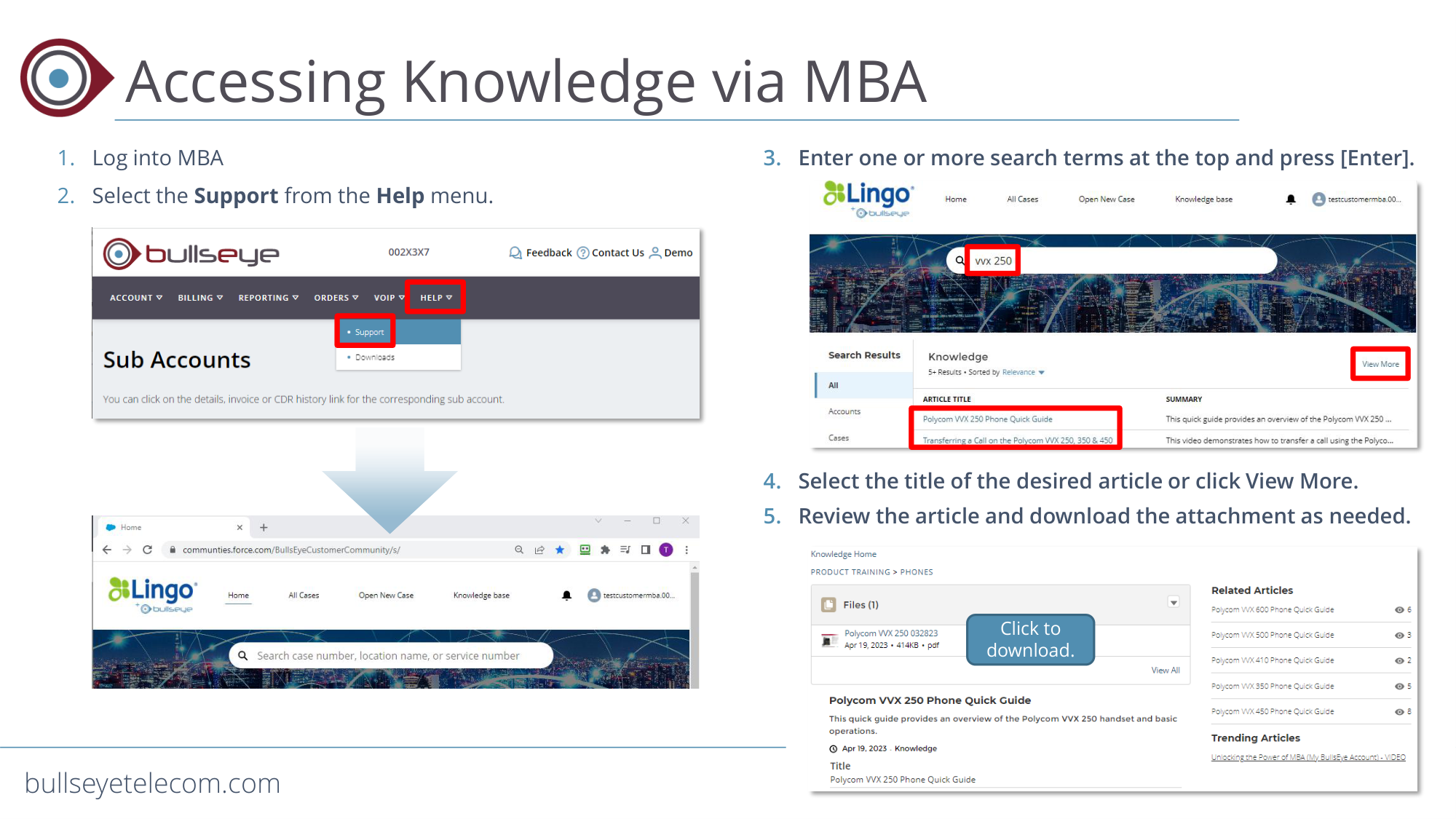
Accessing Knowledge via MBA
1. Log into MBA
2. Select the Support from the Help menu.
3. Enter one or more search terms at the top and press [Enter].
4. Select the title of the desired article or click View More.
5. Review the article and download the attachment as needed.
Click to
download.
bullseyetelecom.com
Proprietary & Confidential
bullseyetelecom.com
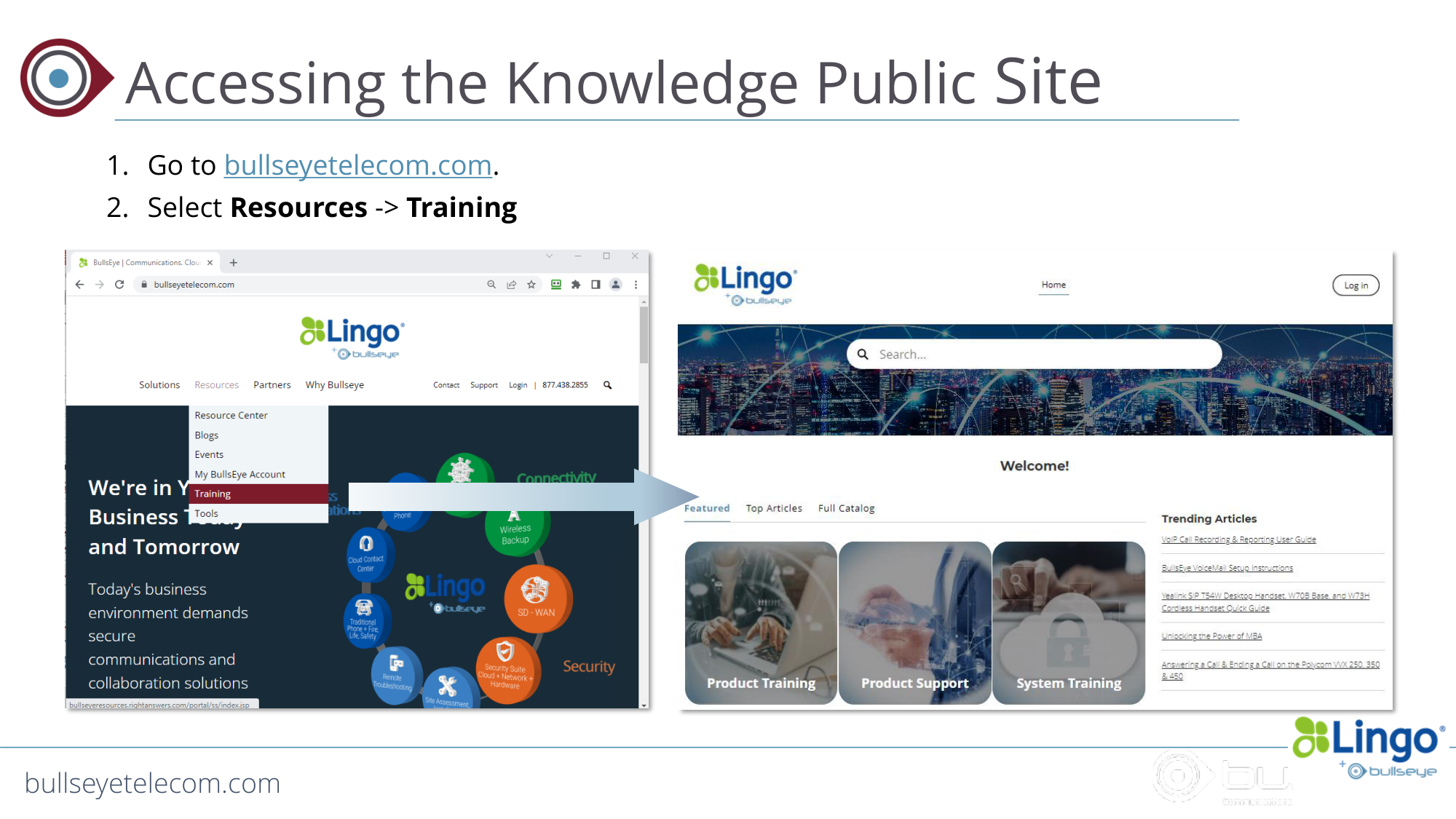
Accessing the Knowledge Public Site
1. Go to bullseyetelecom.com.
2. Select Resources -> Training
bullseyetelecom.com
Proprietary & Confidential
bullseyetelecom.com
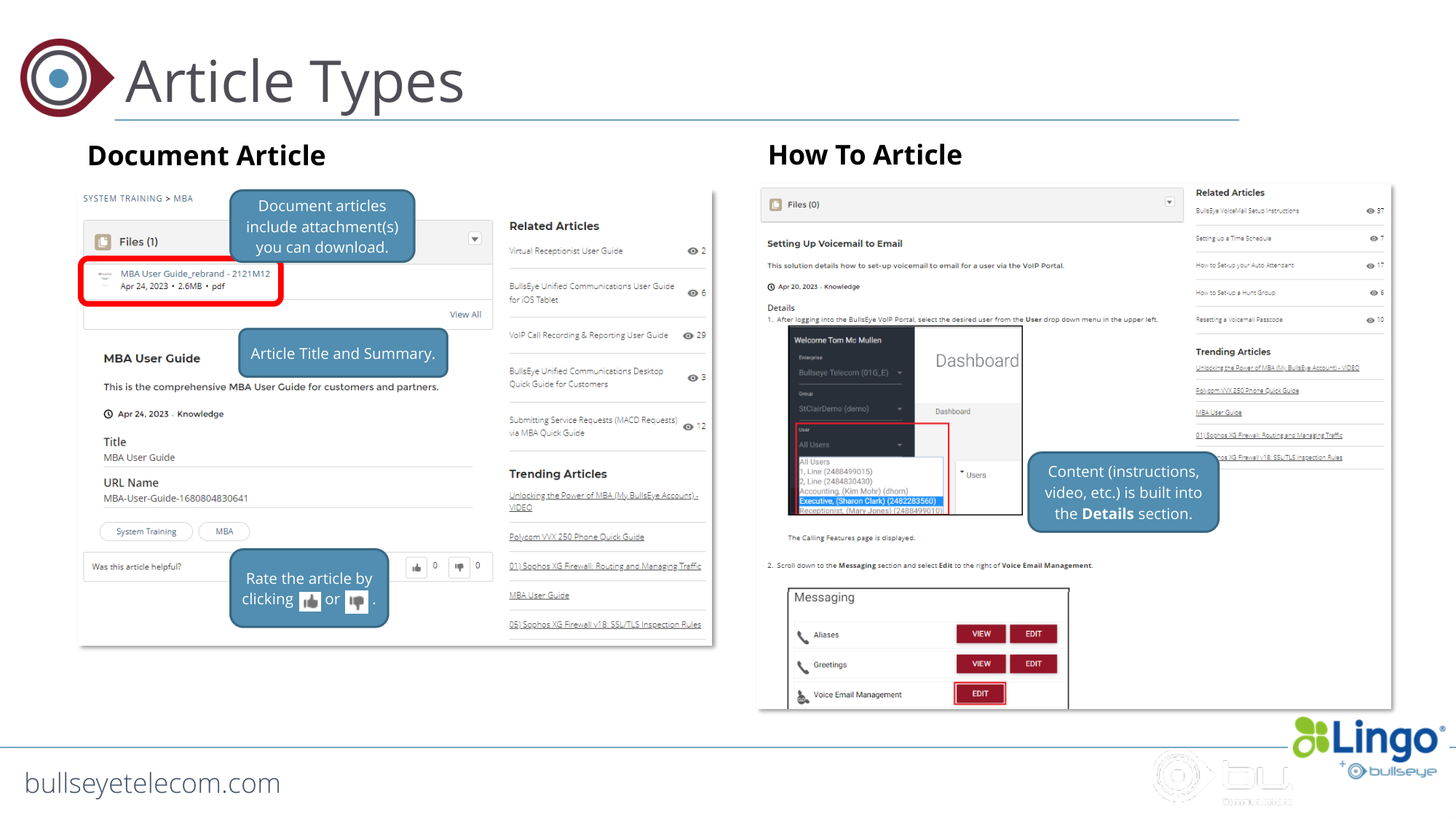
Article Types
Document Article
Rate the article by
clicking or .
Article Title and Summary.
How To Article
Document articles
include attachment(s)
you can download.
Content (instructions,
video, etc.) is built into
the Details section.
bullseyetelecom.com
Proprietary & Confidential
bullseyetelecom.com
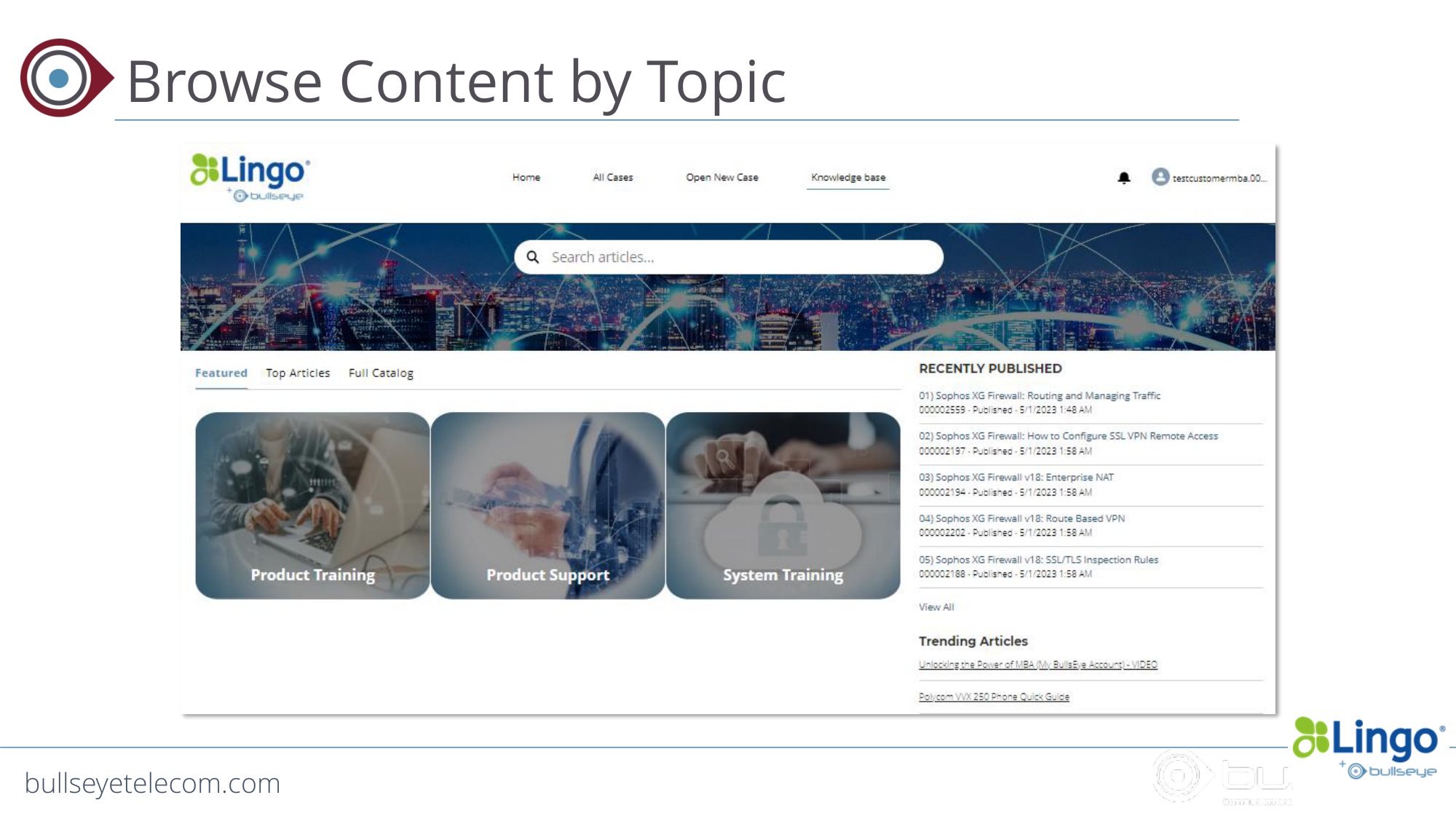
Browse Content by Topic
bullseyetelecom.com
Proprietary & Confidential
bullseyetelecom.com
Thank You!